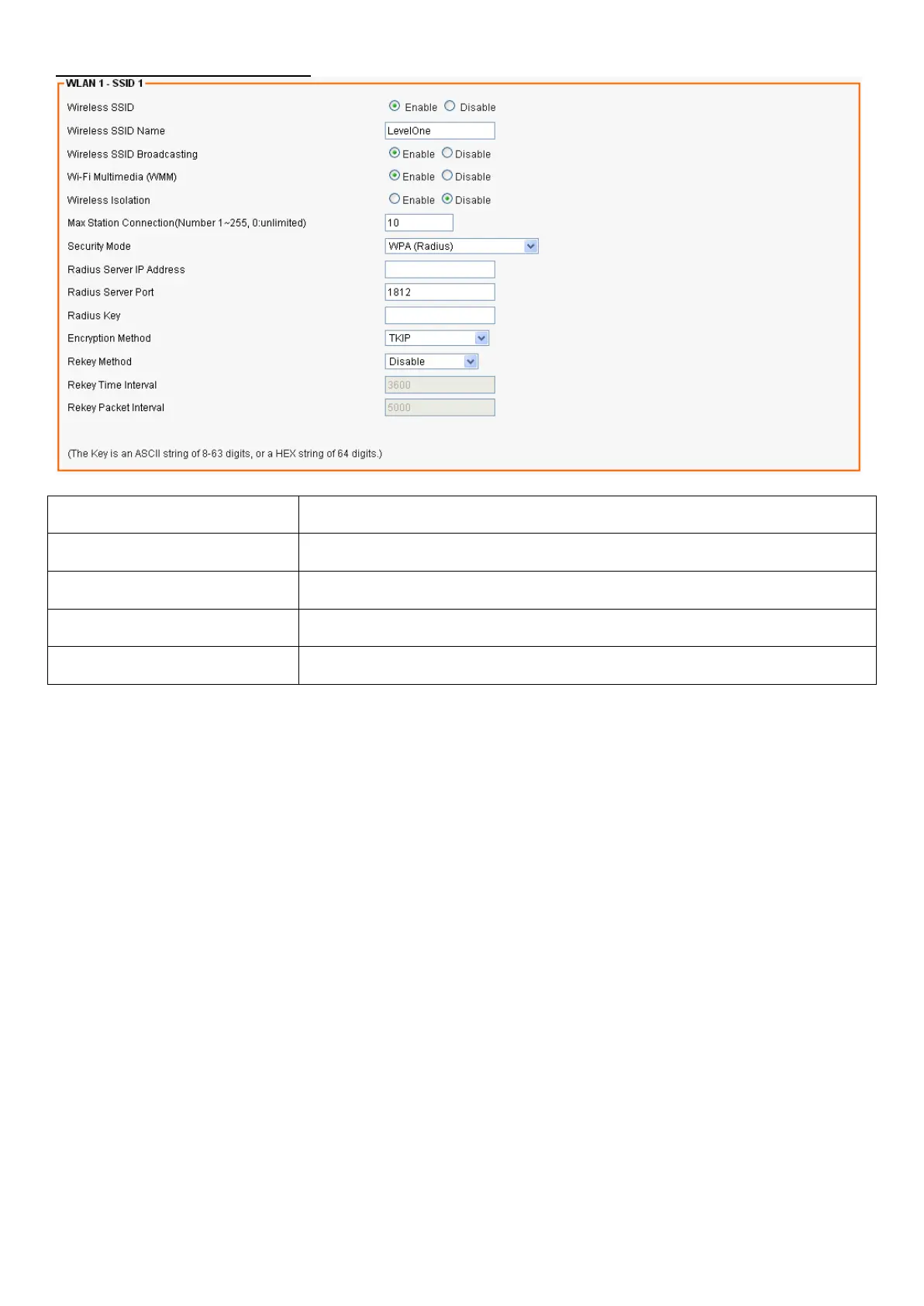
WPA / WPA2 Radius Settings
Field Description
Radius Server IP Address Enter the RADIUS server’s IP address.
Radius Server Port Enter the RADIUS server’s port number. The default port is 1812.
Radius Key Enter the RADIUS server’s IP Address.
Encryption Mode Select TKIP or AES for the packet encryption.
Advanced Wireless Settings
From the Wireless menu, click on Advanced. The following page is displayed:














 To Next Page