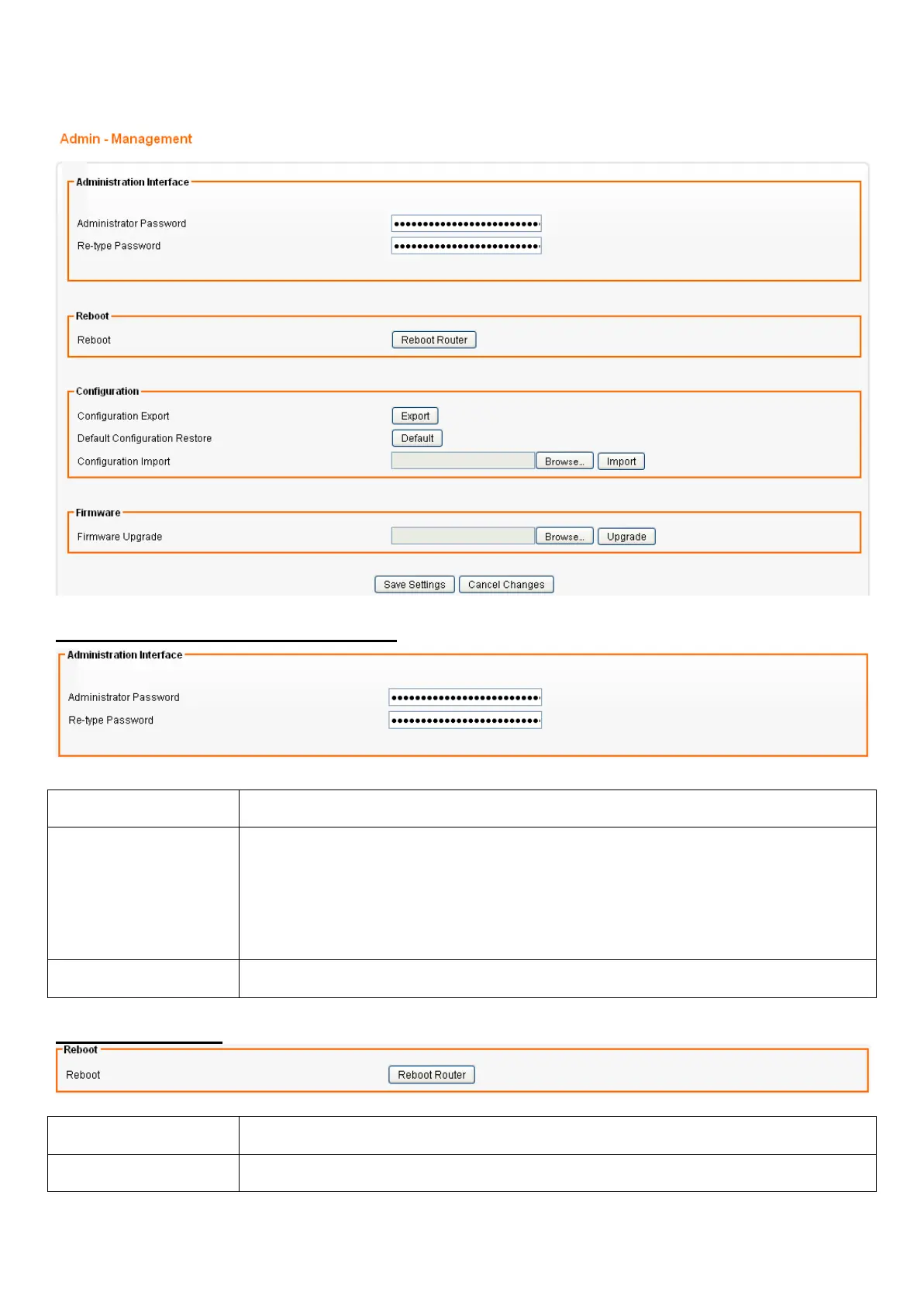
Admin – Management
From the Admin menu, click on Management. The following page is displayed:
Administration Interface Settings
Field Description
Administrator
Password
Maximum input is 36 alphanumeric characters (case sensitive)
* Please change the administrator’s password if the remote
management is enabled. Otherwise, a malicious user can access the
management interface. This user can then have the ability to change the
settings and damage your network access.
Re-type Password Enter the password again to confirm.
Reboot Settings
Field Description
Reboot Click this button to reboot the device.














 To Next Page