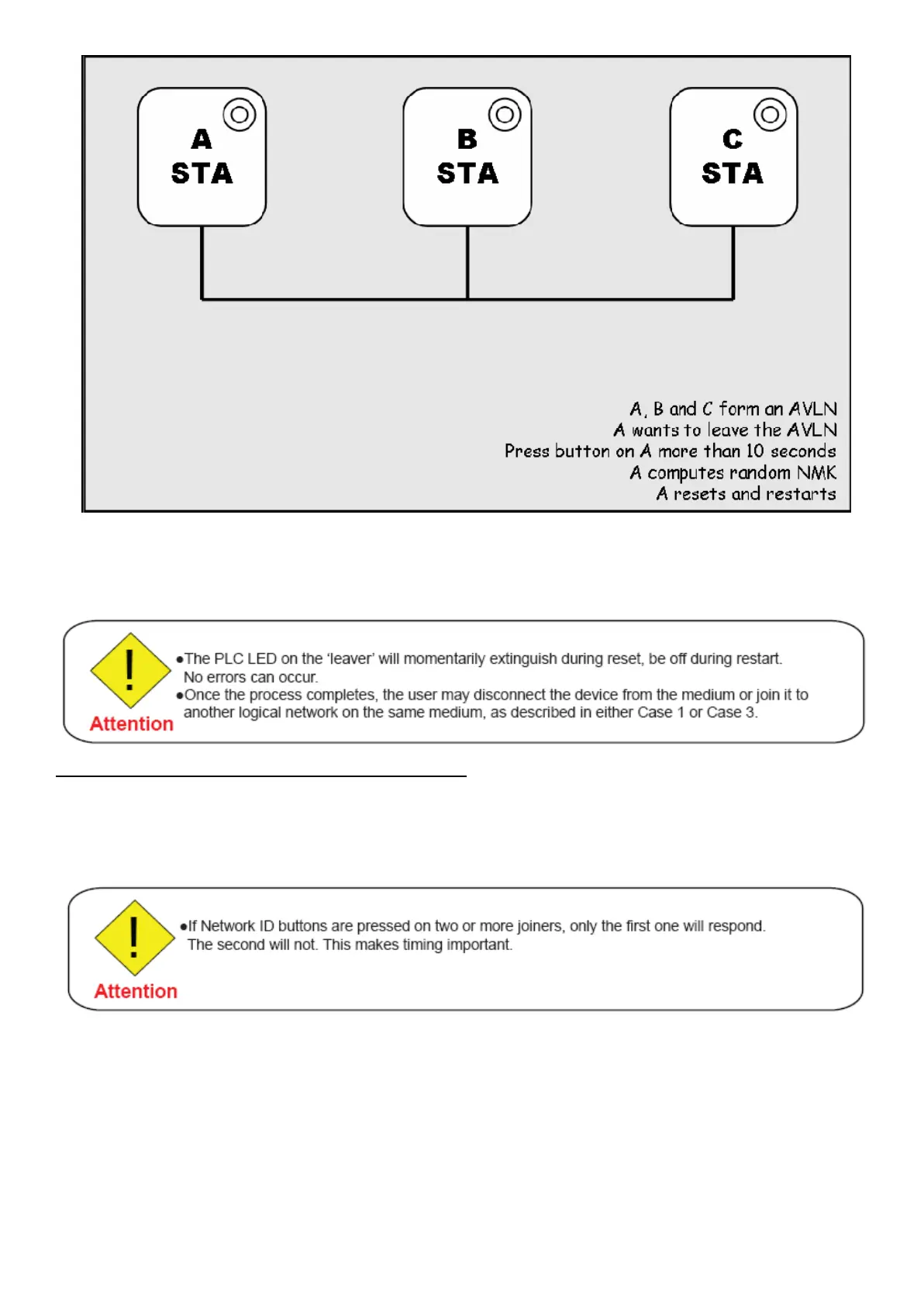
1. Press the NET.ID (Network ID) button on the ‘leaver’ for more than 10 seconds. The device will
reset and restart with a random NMK.
2. Wait for reset to complete and the PLC LED will be OFF.
Scenario 4: Join Multiple Devices to a Network
To add several new devices to an existing network, the process in Case 2 must be repeated for each ‘joiner’. A vendor may
implement a mode of operation in which an ‘adder’ device in the network remains in the adder state for an extended period
allowing additional ‘joiners’ to be added in turn. This lets you press the ‘adder’ Network ID button once then press each
‘joiner’ Network ID button in turn.














 To Next Page