19
4.2.4 Conguring Alarms in Power Meter Viewer Utilities
The VerifEye
®
power meter has the ability to set alarms for over and under
conditions for voltage and current on any meter channel.
Conguration Input Methods
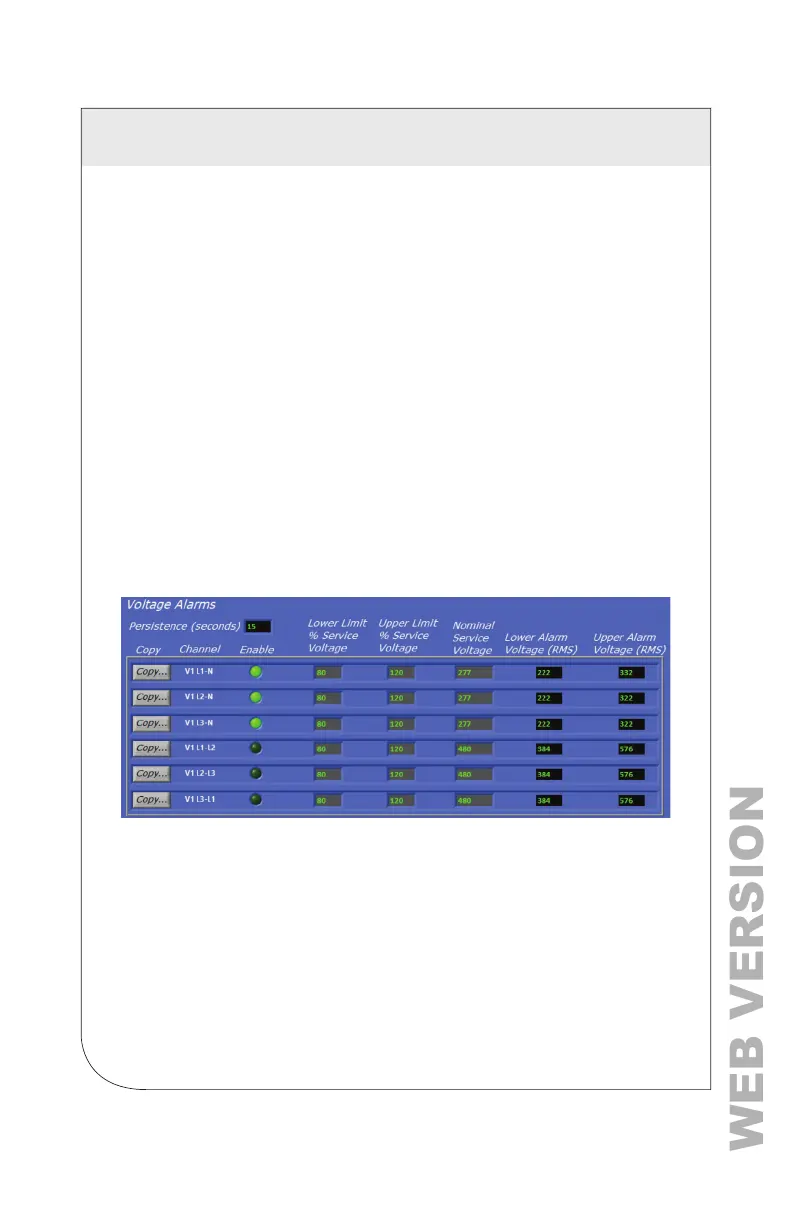
Power Meter Viewer Utilities uses dynamic entry for the specication of Alarm
settings. Whichever text entry eld is selected becomes the forcing condition
and the other related elds are updated by calculation to reect a consistent
set of conditions. The text entry elds in grey are Conguration and are NOT
retained by the meter. Only the elds with a black background are stored in
the meter's memory or in conguration les.
Nominal Values
Entering alarm thresholds based on “percent of nominal” values is helpful
when alarm conditions are centered around electrical components or industry
standard conditions. For example, an over current alarm may be set to 80%
of an installed circuit breaker to alert when that breaker exceeds
NEC recommendations.
Absolute Values
Entering alarms based on absolute value enables you to enter the triggering
values directly in the register elds (black background).
4 METER CONFIGURATION



 To Next Page