20
4.2.5 Setting the Real Time Clock
The VerifEye
®
meter includes a Real Time Clock. The clock is used only to
time stamp Interval Data in the log. It is not used for calculation within the
meter. For those customers using the IDR function of the meter, it is helpful
(but not necessary) to set the real time clock so that data records can be
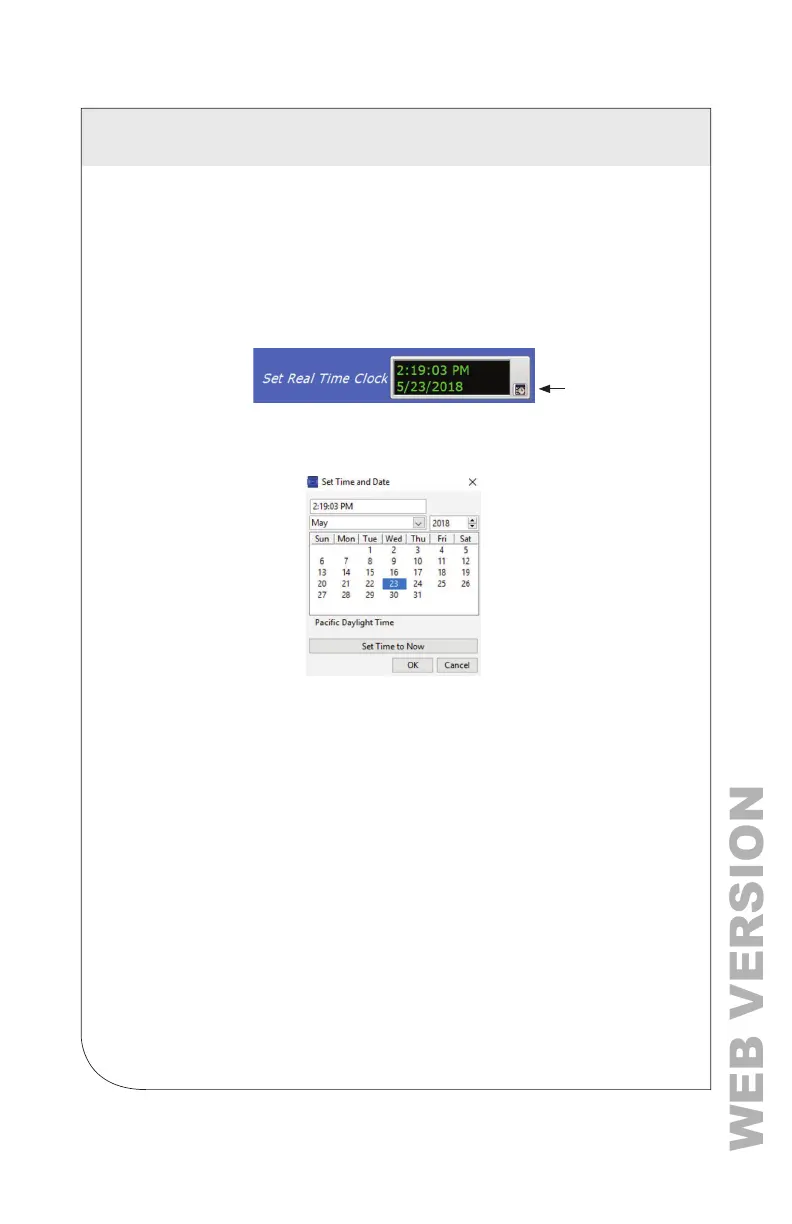
uniquely identied. The time can be set using Power Meter Viewer Utilities,
under the Advanced Tab, by clicking on the small time icon in the bottom-right
corner of the clock.
The clock icon launches the Window Calendar and allows the user to choose
the desired date and time. Click Set Time to Now to populate the current time.
Click OK to commit this time to the RTC chip onboard the meter.
Real Time Clock Power Source
The RTC integrated circuit is a stand-alone low power circuit within the
VerifEye
®
meter. Time is kept in the absence of a connected external power
source (AC or USB power) by a super capacitor. The capacitor can keep the
RTC running over normal power outages (days to weeks), but it does not keep
time while the meter is stored or shipped.
NOTE: It is recommended that users use the Interval Data Recording
capability of the VerifEye
®
meter to ensure the Real Time Clock is set as part
of the commissioning process.
4 METER CONFIGURATION



 To Next Page