63
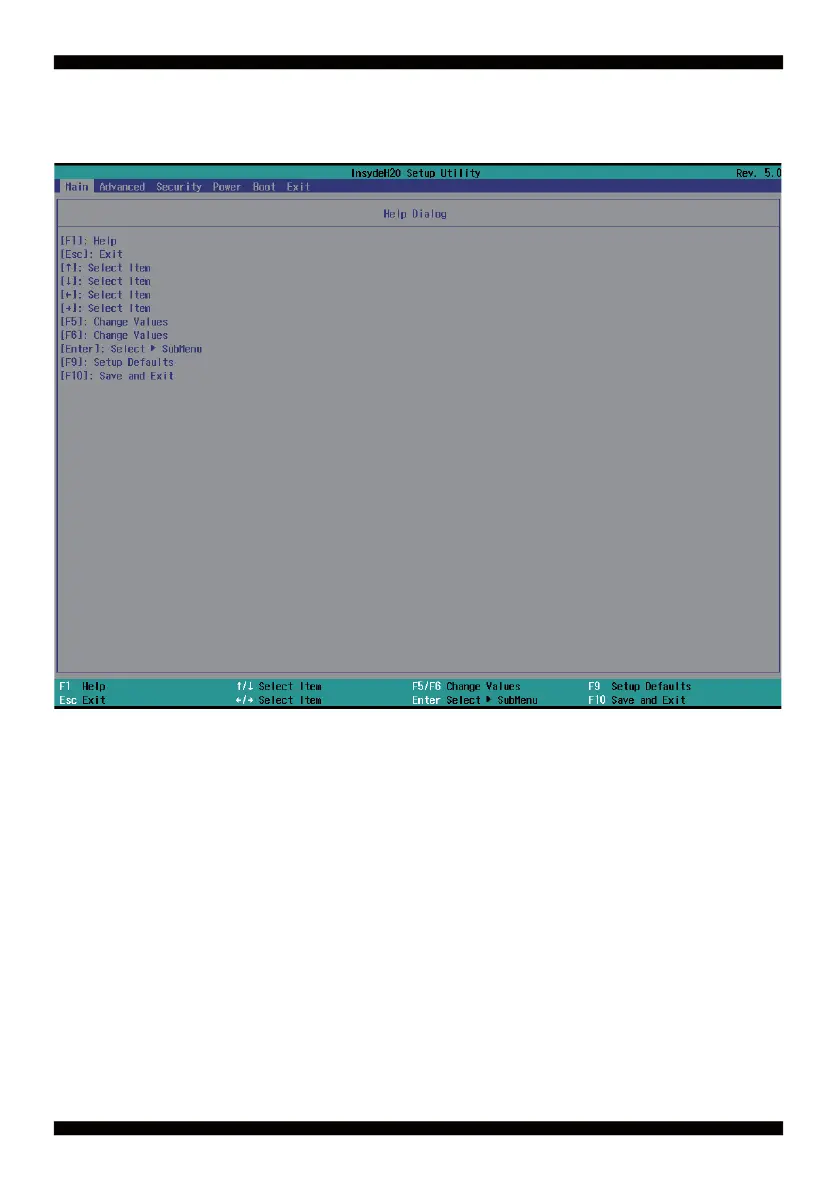
4-3 Getting Help
Status Page Setup Menu / Option Page Setup Menu
Press F1 to pop up a help window that describes the appropriate keys to use and the possible
selections for the highlighted item. To exit the Help Window, press <Esc>.
We will explain these options step by step in the following pages of this
chapter, but let us fi rst see a short description of the function keys you may use here:
● Press ←→ (left, right) to select screen;
● Press ↑↓ (up, down) to choose, in the main menu, the option you want to confi rm or to modify.
● Press <Enter> to select.
● Press <+>/<–> or <F5>/<F6> keys when you want to modify the BIOS parameters for the active option.
● [F1]: General help.
● [F9]: Optimized defaults.
● [F10]: Save & Exit.
● Press <Esc> to quit the BIOS Setup.


 To Next Page