81
5-1 INF Install Intel Apollo Lake Chipset Driver
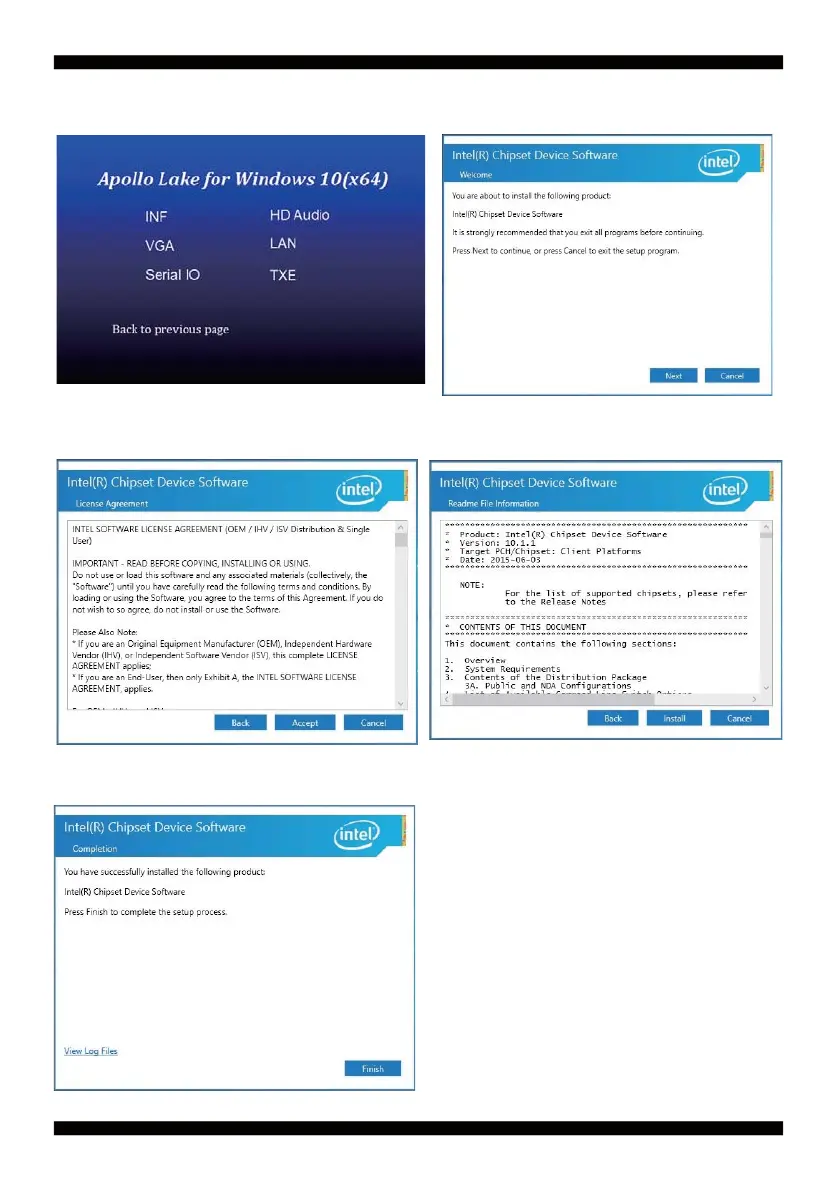
1. At the "AUTOMATIC DRIVER INSTALLATION
menu"screen, click "INF".
2. At the "Intel® Chipset Device Software"screen,
click "Next".
3. At the "License Agreement" screen, click "Accept".
4. At the "Readme File Information" screen,
click "Install".
5. Click "Finish" to fi nish the setup
NOTE: SYSTEM INSTALL will auto detect fi le path
X:\driver\apollo_lake\Chipset_10.1.1.33_Public\
SetupChipset.exe


 To Next Page