82
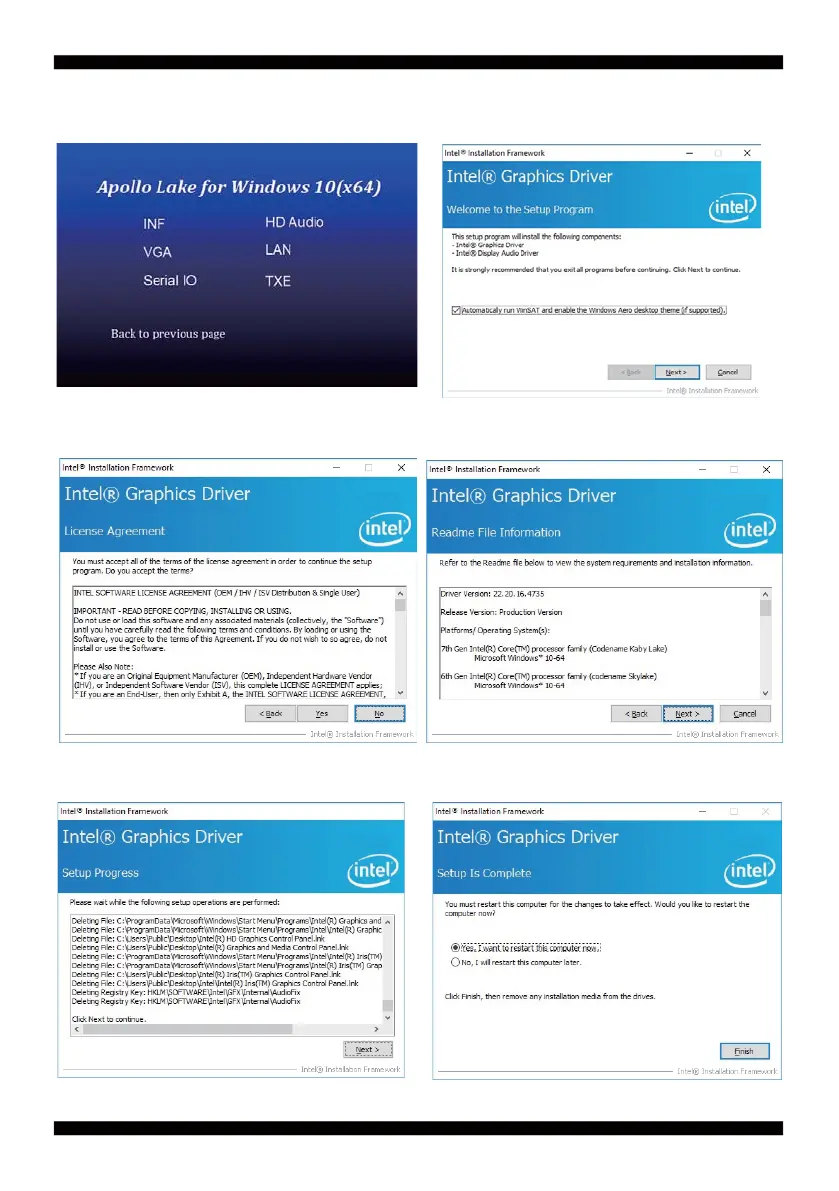
5-2 VGA Install Intel Apollo Lake VGA Driver
1. At the "AUTOMATIC DRIVER INSTALLATION
menu" screen, click "VGA".
3. At the "License Agreement" screen, Click "Yes"
2. At the "Welcome to the Setup Program
screen, Click "Next".
4. At the "Readme File Information" screen, Click
"Next"
5. At the "Setup Progress" screen, Click "Next".
6. Click "Finish" to restart computer


 To Next Page