83
NOTE: SYSTEM INSTALL will auto detect fi le path
X:\driver\apollo_lake\gfx-15.45\Setup.exe
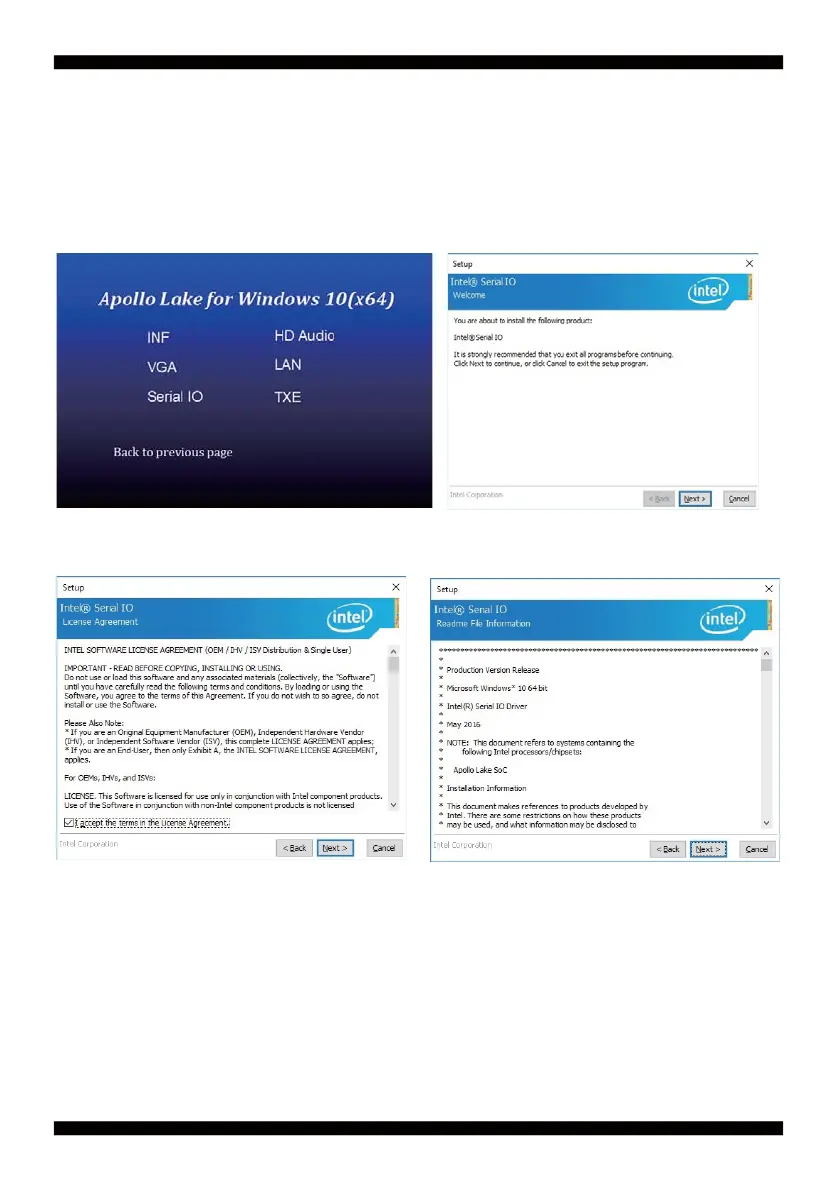
5-3 Serial IO Install Driver Apollo Lake Serial IO Driver
1. At the "AUTOMATIC DRIVER INSTALLATION
menu" screen, click "Serial IO".
2. At the "Welcome to the Setup Program
screen, Click "Next"
3. At the "License Agreement" screen, Click "Next"
4. At the "Setup type" screen, select "complete"
and Click "Next".


 To Next Page