44
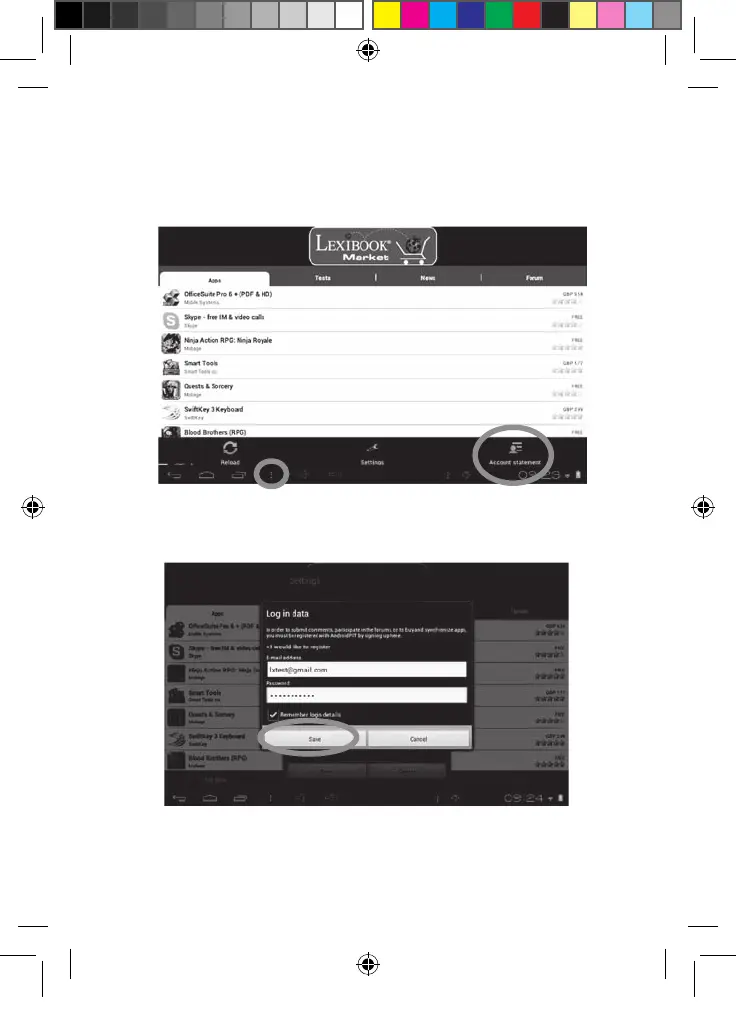
• Connect to the Lexibook® Market
1. On the Home screen, click on the icon Lexibook® Market to launch the
application.
2. Click on the “Options” button at the bottom of the screen, then on “Account
statement”.
3. Enter your email address and your password, then press “Save”. You can
also select the option “Remember login details” if you do not wish to enter
your information whenever you connect to the Lexibook® Market.
MFC142EN_09IM1373_11Sept_V12.indd 44 11/09/2013 5:31 PM



 To Next Page