49
48
5. The application is then available in the applications menu.
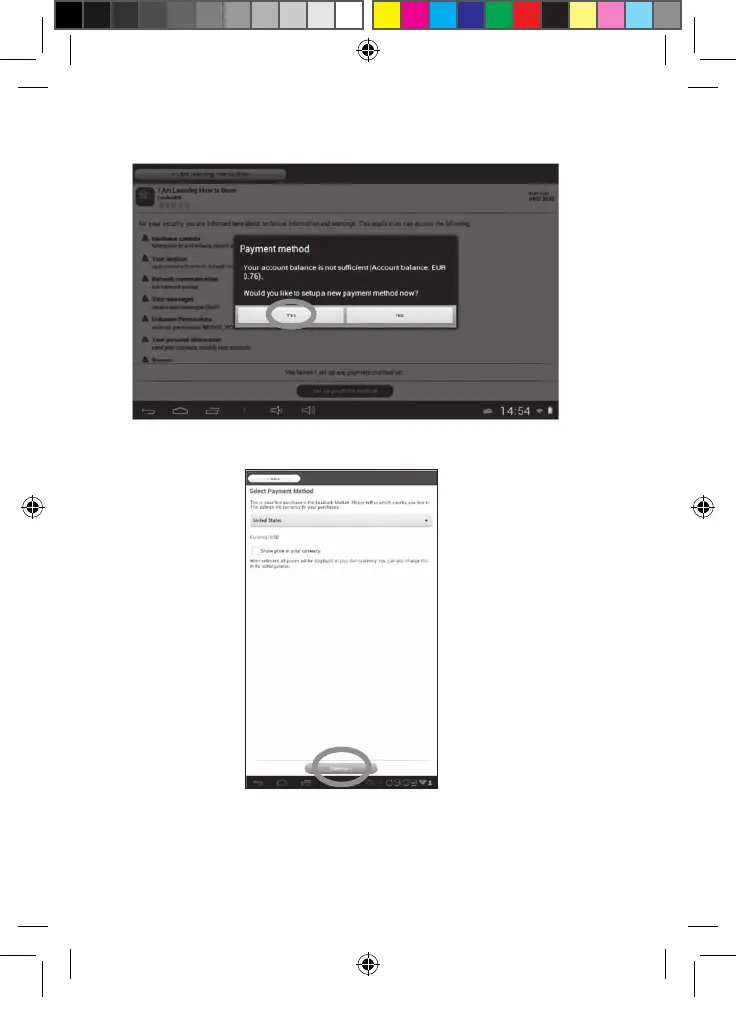
• Purchase an application
1. First, you need to connect to your account. Please follow the steps described
in the “Connect to the Lexibook® Market” section above.
2. On the page of the application you want to purchase, click on “BUY” after
checking the price of the application.
3. If you never set up an account before, a pop-up will be displayed. Click on
“YES” to enter your payment information.
4. First you have to select your currency. Then click on “Continue”.
MFC142EN_09IM1373_11Sept_V12.indd 49 11/09/2013 5:31 PM



 To Next Page