2-9
System Overview
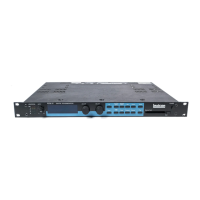
The 300's Control Mode provides access to general global parameters and
miscellaneous functions. Selecting Control mode does not interrupt the audio
operation of the 300.
There are 9 Control mode pages:
1. Set-up Configuration and Input type select (Analog and/or Digital),
2. Analog sample rate select, Digital locked, Digital input connector type,
Digital Input format display and Digital Output format selection.
3. SCMS Detect and select
4. Digital emphasis detect and select
5. Effect Load select(Bypass, Mute) and Bypass function (Input mute, Bypass
6. Copy Protect/Copy Tools for Setups, Effects, and MIDI Mod Edits
7. Purge (Delete) Tools for Time Code Event List,All Registers, All Effects,
MIDI Map Table, and return to Factory Initialization.
8. Time Code Event List Management
9. MIDI Mode and MIDI Map Table
Note: The 300 Digital Effects System is shipped from the factory running in an
Analog Input, 48kHz mode with Setup Preset S:P101 SINGLE running Effect
Preset EA: P101 Large Hall.
If you are already familiar with the operation of the 300 and wish to change the
Input to a Digital Type, simply enter Control mode and make your selections.
If you have no previous experience with the 300, we suggest you remain in the
analog mode and read on...


 To Next Page
 Loading...