Need help?
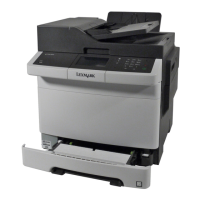
Do you have a question about the Lexmark CX331 and is the answer not in the manual?
Identifies and describes the main components of Lexmark MC3224dwe MFP.
Guidelines and characteristics for choosing and using various types of paper.
Recommendations for choosing a suitable location for the printer, considering space and environment.
Instructions for connecting various cables like power, telephone, Ethernet, and USB.
Instructions for configuring the printer's fax functionality using wizards or menus.
Steps to configure SMTP settings for sending scanned documents via email.
Instructions on setting paper size/type and loading paper into trays and feeders.
Guide for installing printer software, drivers, and updating firmware.
Steps for adding the printer to a Windows or Macintosh computer for printing.
Guides and procedures for connecting the printer to various networks.
Steps to erase volatile and non-volatile memory content from the printer.
Procedure to reset printer settings and configurations to their factory defaults.
Steps to print documents from a computer using various operating systems.
Methods for printing from mobile devices using Lexmark Mobile Print, Mopria, or AirPrint.
Settings for managing confidential print jobs, including expiration and security options.
Procedures for printing jobs that are held or confidential using Windows and Macintosh.
Steps to send scanned documents via email using the control panel or shortcuts.
Procedures for sending faxes using the control panel or a computer.
Steps to scan documents to a computer using Lexmark Scanback Utility or Windows Fax and Scan.
Default settings, setup, admin controls, and logs for fax operations.
Configuration settings for sending emails, including SMTP and default options.
Configuration options for network connections, wireless, Ethernet, TCP/IP, and USB.
Settings for login methods, local accounts, certificates, and confidential print jobs.
Step-by-step instructions for replacing various printer components.
Guidelines and procedures for cleaning printer components like the exterior and touch screen.
Guides to identify and resolve common print quality issues using test pages.
Troubleshooting steps for various print quality issues like dark, light, or missing colors.
Steps to resolve issues where print jobs are not being sent or processed by the printer.
Troubleshooting steps to diagnose and resolve slow printing performance.
Steps to resolve issues where jobs print from the incorrect tray or on the wrong paper.
Troubleshooting steps when held or confidential print jobs fail to print.
Steps to troubleshoot printer unresponsiveness, checking power, connections, and modes.
Troubleshooting steps for issues accessing the Embedded Web Server and Wi-Fi network.
Troubleshooting steps for cartridge region mismatches and non-Lexmark supplies.
Tips, identification of locations, and procedures for clearing paper jams.
Troubleshooting steps for envelope seals, collated printing, tray linking, and paper jams.
Steps to disable SMTP error messages and troubleshoot inability to send emails.
Troubleshooting steps for caller ID display, sending/receiving faxes, and fax print quality.
Troubleshooting steps for scanning to computer, network folders, and file transfer issues.
Methods to modify colors in print output and troubleshoot color tinting.
Information on how to contact Lexmark customer support for assistance.
Lexmark's limited warranty terms and conditions for laser and multifunction printers.
 General
| Brand | Lexmark |
|---|---|
| Model | CX331 |
| Category | All in One Printer |
| Language | English |


 To Next Page