To Next Page
G
George LeeSep 3, 2025
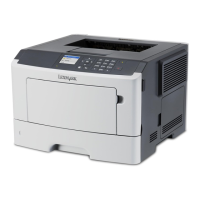
How to clear bin full message on Lexmark MS415dn Printer?
- Sscott94Sep 3, 2025
To resolve the 'Bin full' error on your Lexmark Printer, remove the paper stack from the standard bin.

How to clear bin full message on Lexmark MS415dn Printer?
To resolve the 'Bin full' error on your Lexmark Printer, remove the paper stack from the standard bin.
How to remove paper from standard output bin on Lexmark MS415dn Printer?
To resolve the 'Remove paper from standard output bin' message on your Lexmark Printer, remove the paper stack from the standard bin.
What to do if Lexmark MS415dn Printer cannot collate large document?
To resolve the 'Cannot collate large document' error on your Lexmark Printer, you can press on the printer control panel to print the portion of the job already stored and begin collating the rest of the print job. Alternatively, you can cancel the current print job.
How to fix cannot defrag flash memory on Lexmark Printer?
To resolve the 'Cannot defrag flash memory' error on your Lexmark Printer, you can press on the printer control panel to stop the defragmentation and continue printing. You can also delete fonts, macros, and other data in the printer memory by navigating to Settings > Print Settings > Utilities Menu > Format Flash > Yes on the printer control panel. Alternatively, install additional printer memory.
How to resolve change [paper source] to [custom string] load [orientation] on Lexmark MS415dn Printer?
To resolve the 'Change [paper source] to [custom string] load [orientation]' error on your Lexmark Printer, load the correct size and type of paper in the tray or feeder, specify the paper size and type in the Paper menu on the control panel, and then press . Alternatively, select Ignore to use the available paper size and type in the tray or feeder, or cancel the print job.
What to do if Lexmark Printer says defective flash memory?
To resolve the 'Defective flash memory' error on your Lexmark Printer, replace the defective flash memory card. You can also press on the printer control panel to ignore the message and continue printing, or cancel the current print job.
How to fix flash memory unformatted on Lexmark Printer?
To resolve the 'Flash memory unformatted' error on your Lexmark Printer, you can press on the printer control panel to stop the defragmentation and continue printing. You can also format the flash memory device.
How to fix memory low, no resource save on Lexmark Printer?
To resolve the 'Memory low, no Resource Save' error on your Lexmark Printer, you can press on the printer control panel to disable Resource Save, clear the message, and continue printing. You can also install additional printer memory.
How to enable rear USB port on Lexmark MS415dn Printer?
To resolve the 'Rear USB port disabled' message on your Lexmark Printer, you can press on the printer control panel to clear the message and continue printing. You can also set USB Buffer to Auto from the printer control panel.
 General
| Print Technology | Laser |
|---|---|
| Print Speed | Up to 40 ppm |
| Print Resolution | 1200 x 1200 dpi |
| Processor Speed | 800 MHz |
| Duplex Printing | Yes |
| Maximum Paper Size | 8.5 x 14 inches |
| Operating System Compatibility | Windows, Mac OS, Linux |
| Memory | 256 MB |
| Input Capacity | 250 sheets |
| Connectivity | USB, Ethernet |
| Dimensions | 10.3 x 15.7 x 15.0 inches |