EasyManua.ls Logo

Lexmark MS510 - User Manual

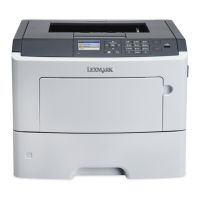
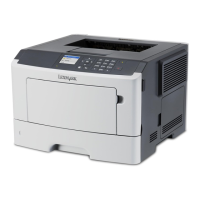
Lexmark MS510
255 pages
Print Icon
To Next Page IconTo Next Page
Loading...
MS510 and MS610 Series
User's Guide
Important: Click here before using this guide.
August 2012 www.lexmark.com
Machine type(s):
4514
Model(s):
630, 635, 639, 646, 649

Table of Contents

Other manuals for Lexmark MS510

Questions and Answers

  • J
    Jorge TorresSep 2, 2025
    How to resolve 'Imaging unit nearly low' message on Lexmark Printer?
    • J
      Jacob GaySep 2, 2025
      When your Lexmark printer shows an 'Imaging unit nearly low' message, you can select Continue on the printer control panel to clear the message and continue printing, if necessary.
  • L
    Lauren GutierrezSep 3, 2025
    What to do if Lexmark Printer displays 'Complex page, some data may not have printed'?
    • J
      Joel TateSep 3, 2025
      If your Lexmark printer displays a 'Complex page, some data may not have printed' message, you can select Continue on the printer control panel to ignore the message and continue printing. Alternatively, cancel the current print job or install additional printer memory.
  • A
    Anthony HoffmanSep 4, 2025
    What does 'Insufficient memory to collate job' mean on Lexmark MS510 Printer and how can I fix it?
    • T
      Troy BrownSep 4, 2025
      If your Lexmark printer displays an 'Insufficient memory to collate job' message, select Continue on the printer control panel to print the part of the job already stored and begin collating the rest of the print job. Alternatively, cancel the current print job.
  • N
    Nicole JonesSep 5, 2025
    How to resolve 'Not enough free space in flash memory for resources' error on Lexmark Printer?
    • S
      Shawn OrrSep 5, 2025
      If your Lexmark printer displays a 'Not enough free space in flash memory for resources' message, you can select Continue on the printer control panel to clear the message and continue printing. Alternatively, delete fonts, macros, and other data stored in the flash memory or upgrade to a larger capacity flash memory card.
  • B
    Brandon MurraySep 6, 2025
    Why does my Lexmark MS510 Printer say 'Replace cartridge, printer region mismatch'?
    • P
      paulamarshSep 6, 2025
      If your Lexmark printer displays a 'Replace cartridge, printer region mismatch' message, install a toner cartridge that matches the region number of the printer. The x and y values must match for printing to continue.
  • C
    Curtis ValdezSep 6, 2025
    How to resolve 'Serial option [x] error' on Lexmark Printer?
    • M
      Monica McdonaldSep 6, 2025
      If your Lexmark printer displays a 'Serial option [x] error' message, make sure that the serial cable is properly connected and is the correct one. Also, ensure that the serial interface parameters are set correctly on both the printer and computer. You can also select Continue on the printer control panel to continue printing, or turn the printer off and then back on.

Summary

Safety Information

Selecting a location for the printer

Additional printer setup

Installing internal options

Details how to install various internal hardware and memory options like cards and hard disks.

Using MS610 de

Printing

Instructions for printing documents, forms, and adjusting toner darkness.

Paper and specialty media guide

Understanding the printer menus

TCP;IP menu

Configuration settings for TCP/IP network protocols.

Wireless menu

Configuration options for wireless network connections.

Maintaining the printer

Ordering toner cartridges

Lists part numbers for various Lexmark toner cartridges by region.

Replacing supplies

Instructions for replacing consumables like toner cartridges and imaging units.

Moving the printer

Clearing jams

Avoiding jams

Tips on preventing paper jams by proper paper loading and selection.

Troubleshooting

Understanding the printer messages

Explains common printer error messages and their meanings.

Cartridge, imaging unit mismatch [41.xy]

Troubleshoots issues related to incompatible toner and imaging units.

Non-Lexmark [supply type], see User’s Guide [33.xy]

Guidance for handling non-Lexmark supplies and potential risks.

Replace unsupported cartridge [32.xy]

Steps to replace an unsupported toner cartridge with a supported one.

The printer is not responding

A step-by-step guide to troubleshoot when the printer does not respond.

Printer display is blank

Troubleshooting steps when the printer display is blank.

Cannot detect internal option

Steps to troubleshoot when the printer cannot detect an installed internal option.

Tray problems

Troubleshooting steps for issues related to printer trays.

Paper frequently jams

Troubleshooting steps for common paper jamming issues.

Printing problems

General troubleshooting for various printing issues.

Print jobs do not print

A comprehensive guide to troubleshoot when print jobs do not output.

Characters have jagged or uneven edges

Troubleshooting steps for prints with jagged or uneven character edges.

Print irregularities

General troubleshooting for various print quality issues like streaks and voids.

Repeating defects appear on prints

Troubleshooting steps for repeating defects like lines or spots on prints.

Print is too dark

Troubleshooting steps for prints that are too dark.

Print is too light

Troubleshooting steps for prints that are too light.

Printer is printing blank pages

Troubleshooting steps when the printer prints blank pages.

Skewed print

Troubleshooting steps for skewed print output.

Printer is printing solid black pages

Troubleshooting steps when the printer prints solid black pages.

Solving home screen applications problems

Embedded Web Server does not open

Troubleshooting steps when the Embedded Web Server fails to open.

Contacting customer support

Lexmark MS510 Specifications

General IconGeneral
Print TechnologyMonochrome Laser
Print SpeedUp to 45 ppm
Print Resolution1200 x 1200 dpi
Processor Speed800 MHz
Monthly Duty CycleUp to 100, 000 pages
ConnectivityUSB 2.0, Gigabit Ethernet
Memory256 MB (Expandable to 1280 MB)
Output CapacityUp to 250 sheets
Duplex PrintingAutomatic
Media Sizes SupportedA4, A5, A6, JIS B5, Executive, Legal, Letter, Statement
Supported Operating SystemsWindows, Mac, Linux
Input CapacityUp to 650 sheets
Weight31 lbs

Videos

How to Refill Lexmark MS310, MS410, MS510, MS610, MX310, MX410, MX510, Dell B2360, B3460, B3465

Related product manuals