190
4-5. Using the driving support systems
sign and/or information of a sign is
available from the navigation system,
the sign will be displayed on the
multi-information display.
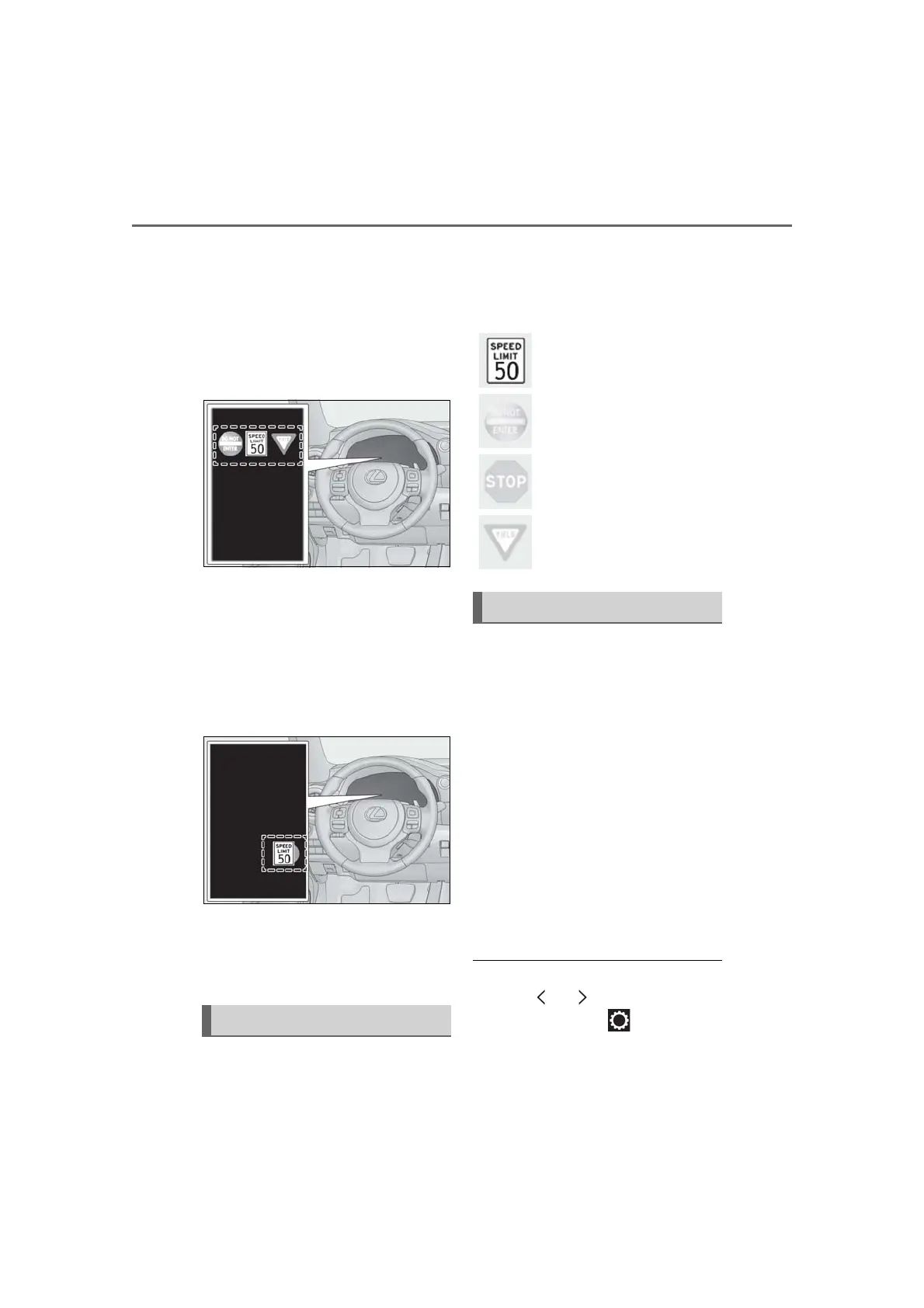
When the driving support system
information is selected, a maximum
of 3 signs can be displayed. (P.76)
When a tab other than the driving
support system information is
selected, the following types of road
signs will be displayed (P.76)
• Speed limit sign
• Do Not Enter sign (when notification is
necessary)
If signs other than speed limit signs are rec-
ognized, they will be displayed in an over-
lapping stack under the current speed limit
sign.
The following types of road signs,
including electronic signs and blinking
signs, are recognized.
A non-official or a recently introduced traf-
fic sign may not be recognized.
In the following situations, the RSA sys-
tem will notify the driver.
When the vehicle speed exceeds
the speed notification threshold of
the speed limit sign displayed, the
sign display will be emphasized and
a buzzer will sound.
When the RSA system recognizes a
do not enter sign and determines
that your vehicle has entered a
no-entry area, the displayed sign will
flash and a buzzer will sound.
Depending on the situation, a notifica-
tion function may not operate properly.
■ Setting procedure
1 Press or of the meter control
switches and select .
Supported types of road signs
Speed limit
Do Not Enter
Stop
Yield
Notification function



 To Next Page