254
5-2. Using the air conditioning system and defogger
Rear window defogger and outside rear view mirror defoggers switch
Windshield defogger switch
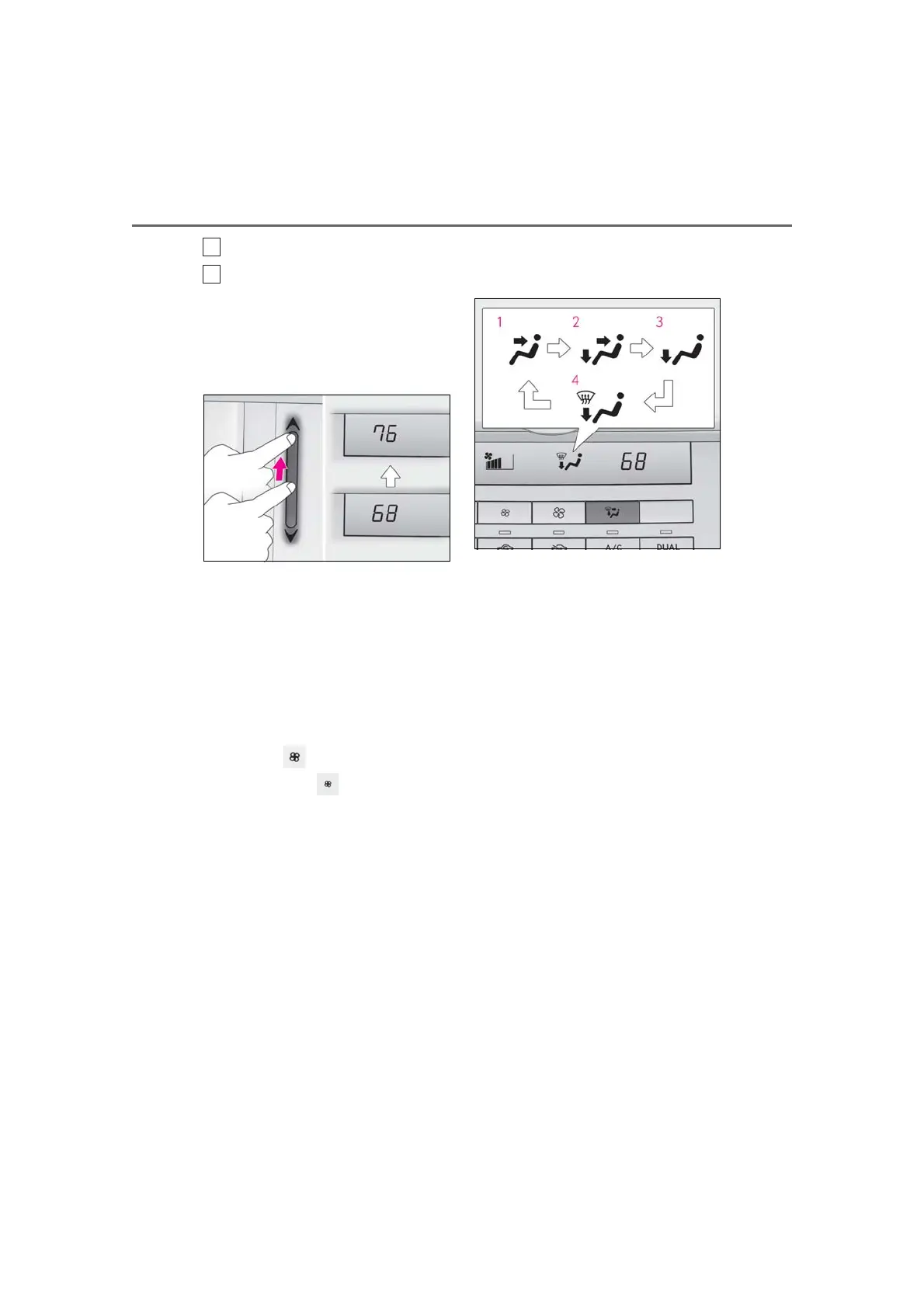
■ Adjusting the temperature
To adjust the temperature setting,
touch and slide your finger up or down
on the sensor.
The temperature setting can also be
adjusted by touching on the sensor.
When the temperature setting is changed,
a buzzer sounds.
If the A/C switch is not pressed, the system
will blow ambient temperature air or
heated air.
■ Setting the fan speed
Operate the switch to increase the
fan speed and the switch to
decrease the fan speed.
Press the off switch to turn the fan off.
■ Changing the air flow mode
To change the airflow, press the air flow
mode switch.
The air outlets used are switched each time
the button is pressed.
1 Air flows to the upper body.
2 Air flows to the upper body and
feet.
3 Air flows to the feet.
4 Air flows to the feet and the wind-
shield defogger operates.
■ Switching between outside air and
recirculated air modes
To change to recirculated air mode,
press the recirculated air mode switch.
The indicator illuminates on the recircu-
lated air mode switch.
To change to outside air mode, press
the outside air mode switch.
The indicator illuminates on the outside air
mode switch.
■ Set cooling and dehumidification
function
Press the A/C switch.
When the function is on, the indicator illu-
minates on the A/C switch.



 To Next Page