253
5-2. Using the air conditioning system and defogger
5
Interior features
5-2.Using the air conditioning system and defogger
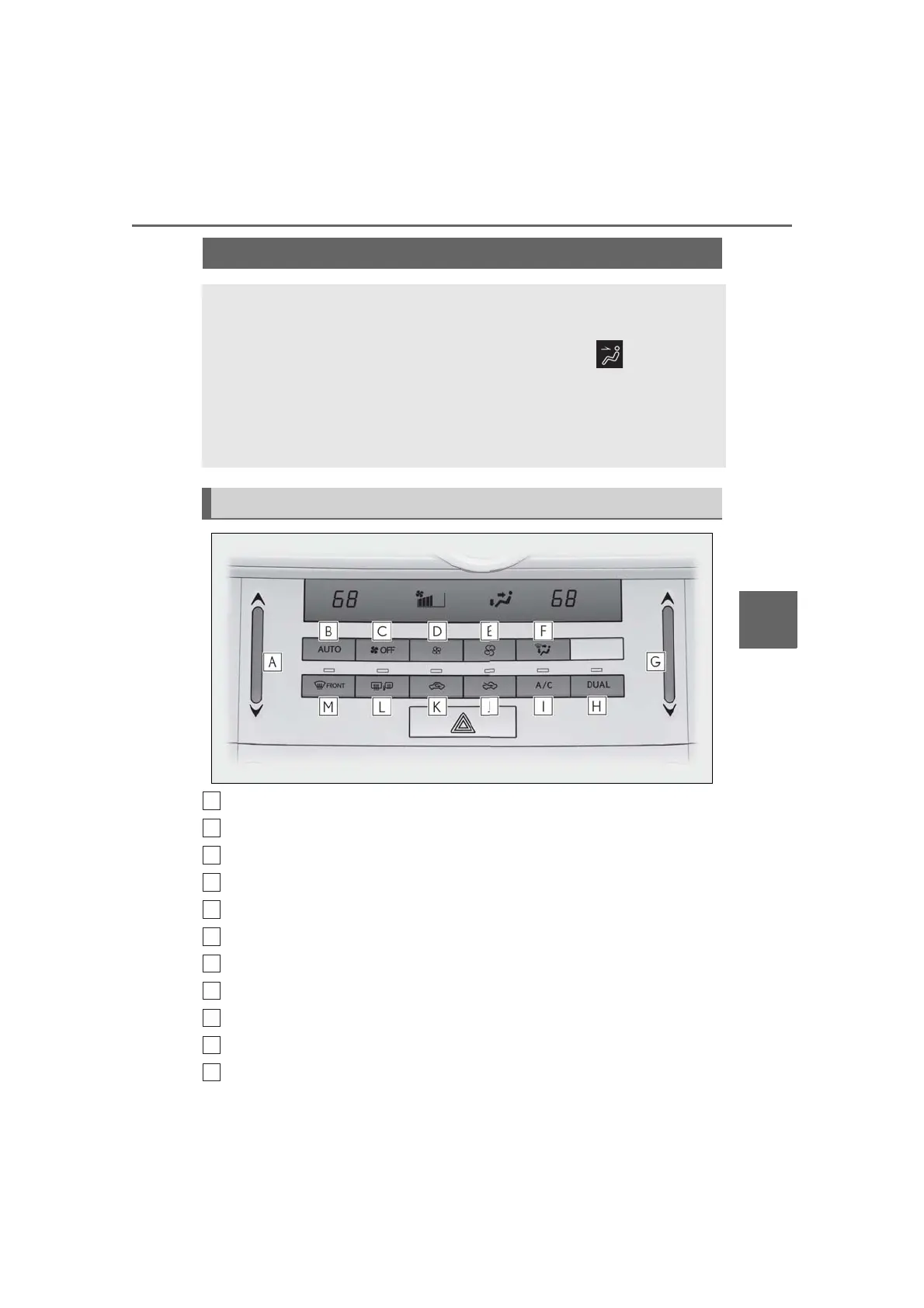
Left-hand side temperature control switch
Automatic mode switch
OFF switch
Fan speed decreases switch
Fan speed increases switch
Air flow mode switch
Right-hand side temperature control switch
DUAL switch
A/C switch
Outside air mode switch
Recirculated air mode switch
Automatic air conditioning system
Air outlets and fan speed are automatically adjusted according to the tem-
perature setting.
Press the “MENU” button on the Remote Touch, then select to display the
air conditioning control screen. For information regarding Remote Touch,
P.248.
Vehicles with a 10.3-inch display: The air conditioning system can be displayed
and operated on the side display.
Air conditioning controls



 To Next Page