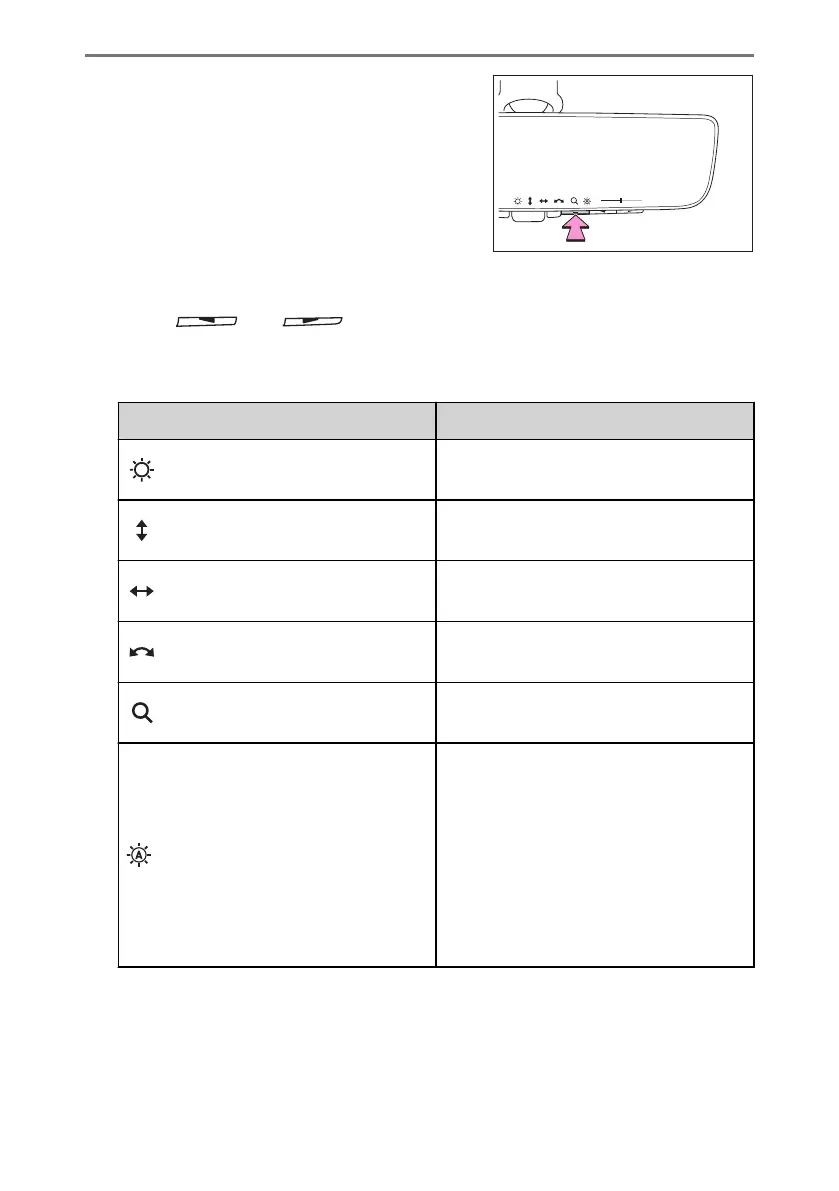
1 Press the menu button.
The icons will be displayed.
2 Press the menu button repeatedly and select the item you want to adjust.
3 Press [ ] or [ ]to change the setting.
The icons will disappear if a button is not operated for approximately 5 seconds or
more.
Icons
Settings
Select to adjust the brightness of the dis-
play.
Select to adjust the area displayed up/
down.
Select to adjust the area displayed to the
left/right.
Select to adjust the angle of the displayed
image.
Select to zoom in/out the displayed im-
age.
Select to enable/disable the automatic
anti-glare function.
*2
Responding to the brightness of the
headlights of vehicles behind, the reflect-
ed light is automatically adjusted.
The automatic anti-glare function is en-
abled each time the power switch is
changed to ON.
*2 :
This is a function for the optical mirror mode, however, the setting can also be changed
while using the digital mirror mode.
1-6. Obtaining the correct driving posture
188



 To Next Page