16
ENG
ENGLISH
MAKING CONNECTIONS
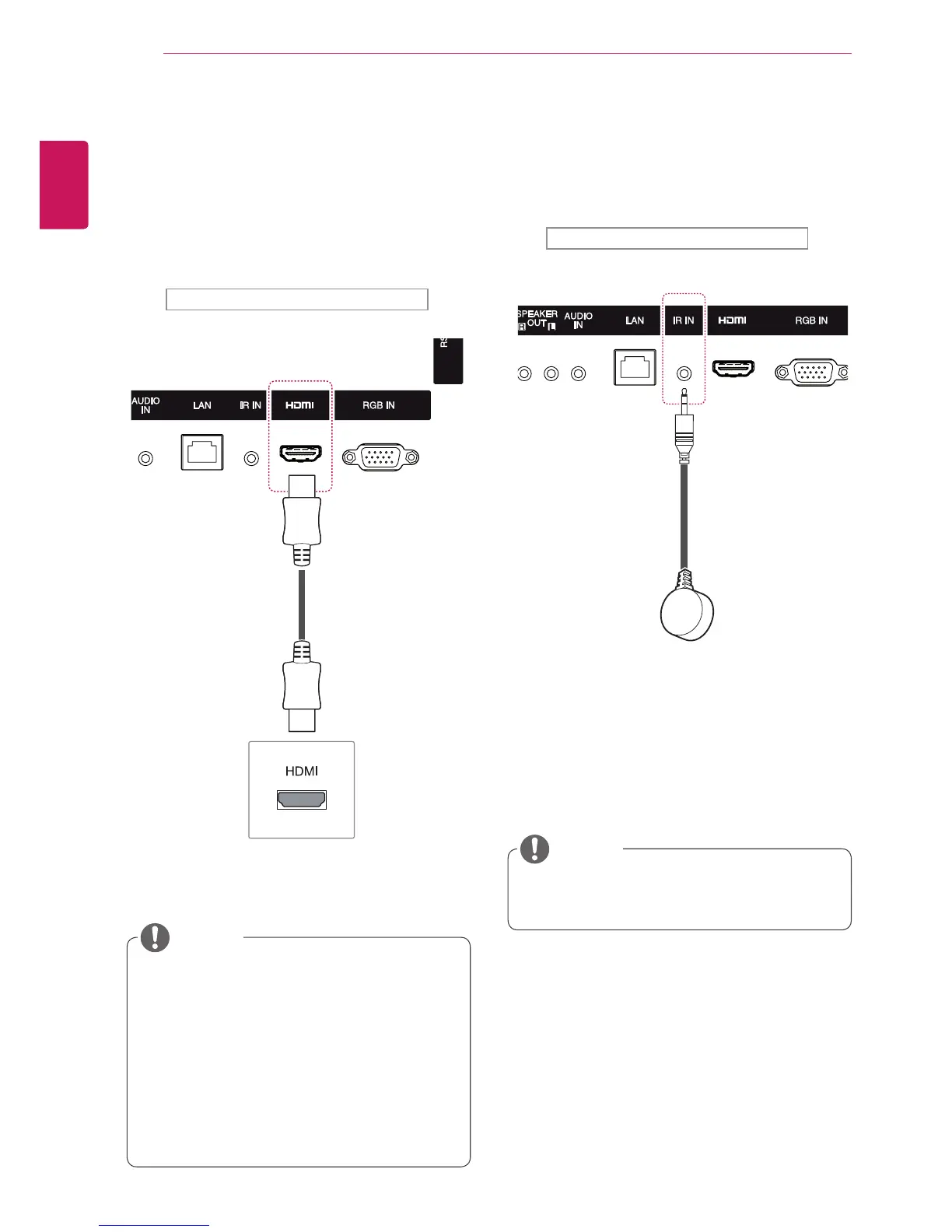
IR Receiver Connection
AllowstheuseofawiredremoteorIRreceiver
extension.
Backoftheproduct.
Makesurethepowercableisdisconnected.
NOTE
HDMI Connection
Transmitsdigitalvideoandaudiosignalsfrom
yourPCorexternaldevicetothemonitor.Connect
thePCortheexternaldeviceandtheMonitor
usingtheHDMIcableasshowninthefollowing
diagrams.SelecttheHDMIinputafterconnecting.
UseaHighSpeedHDMI™Cable.
PleasecheckthePCenvironmentifyou
cannothearaudioinHDMImode.SomePCs
requireyoutomanuallychangethedefault
audiooutputtoHDMI.
IfyouwanttouseHDMI-PCmode,youmust
settheinputlabeltoPCmode.
WhenHDMIPCisused,acompatiblity
problemmightoccur.
NOTE
Backoftheproduct.
(notincluded)



 To Next Page