20
ENG
ENGLISH
ENTERTAINMENT
ENTERTAINMENT
Using the Network
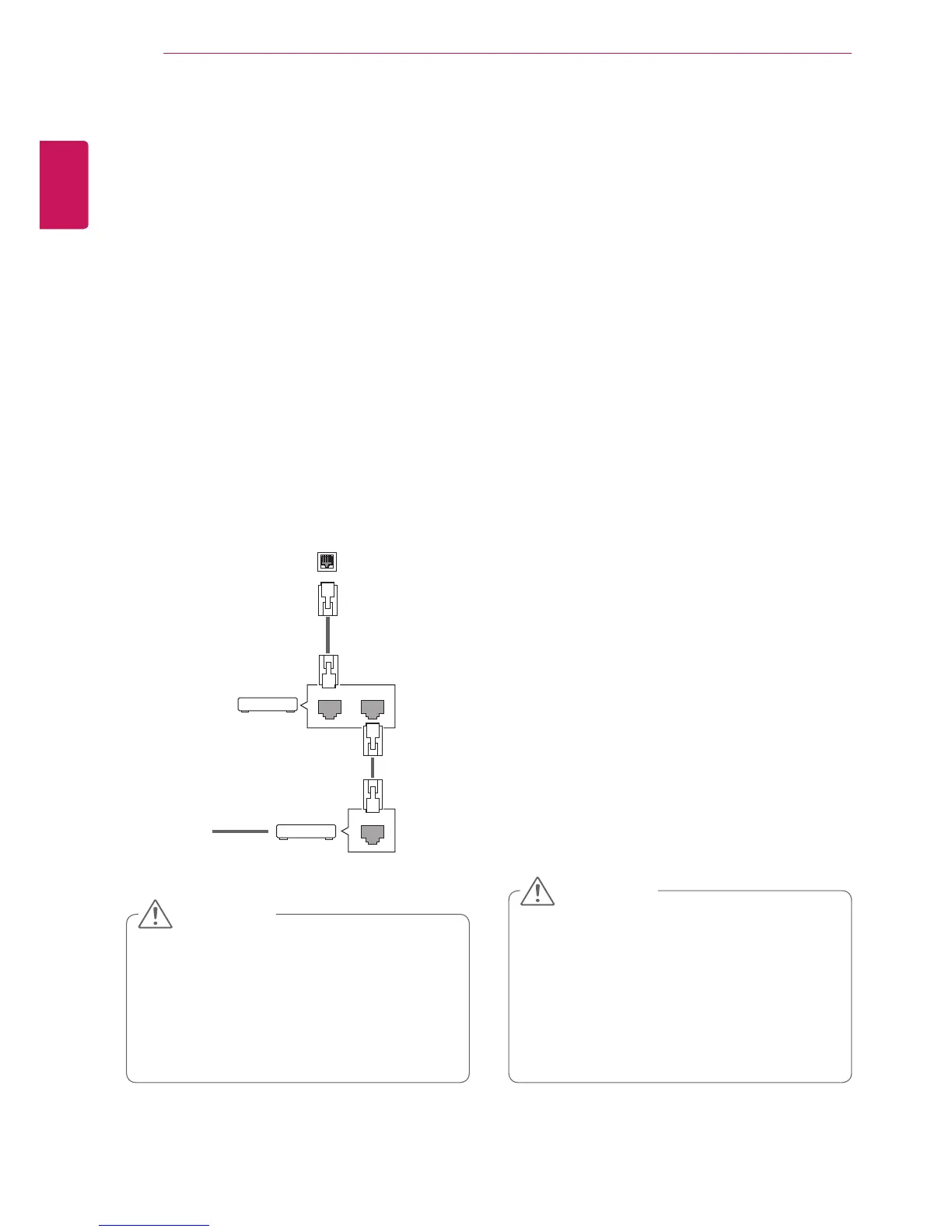
Connecting to a Wired Network
Connectthedisplaytoalocalareanetwork(LAN)
viatheLANportasshowninthefollowingillustra-
tionandsetupthenetworksettings.
Onlysupportswirednetworkconnection.
Aftermakingaphysicalconnection,asmall
numberofhomenetworksmayrequirethedisplay
networksettingstobeadjusted.Formosthome
networks,thedisplaywillconnecttoautomatically
withoutanyadjustments.
Fordetailinformation,contactyourinternetpro-
viderorroutermanual.
Donotconnectamodularphonecabletothe
LANport.
Sincetherearevariousconnectionmeth-
ods,pleasefollowthespecificationsofyour
telecommunicationcarrierorinternetservice
provider.
Networksettingmenuwillnotbeavail-
ableuntilthedisplayconnectedtophysical
network.
Sincetherearevariousconnectionmeth-
ods,pleasefollowthespecificationsofyour
telecommunicationcarrierorinternetservice
provider.
Tosetupthenetworksettings:(Evenifyourdis-
playhasalreadyconnectedautomatically,running
setupagainwillnotharmanything),
1 PressSETTINGStoaccessthemainmenus.
2 PressthenavigationbuttonstoscrolltoNET-
WORKandpressOK.
3 PressthenavigationbuttonstoselectNetwork
SettingandpressOK.
4 Ifyoualreadysetnetworksetting,select
Resetting.Thenewconnectionsettingsresets
thecurrentnetworksettings.
5 SelectIP Auto SettingorIP Manual Setting.
-IfselectingIP Manual Setting,pressthe
navigationandNumberbuttons.IPaddresses
willneedtobeinputmanually.
-IP Auto Setting:Selectthisifthereisa
DHCPserver(Router)onthelocalareanet-
work(LAN)viawiredconnection,thedisplay
willautomaticallybeallocatedanIPaddress.
Ifyou’reusingabroadbandrouterorbroad-
bandmodemthathasaDHCP(Dynamic
HostConfigurationProtocol)serverfunction.
TheIPaddresswillautomaticallybedeter-
mined.
6 Whenyouarefinished,pressEXIT.
LAN
Router
LAN WAN
Cable modem
ETHERNET
@
Internet
Internet
CAUTION
CAUTION



 To Next Page