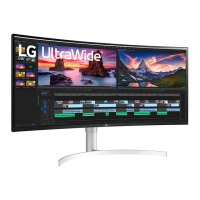
EasyManua.ls Logo

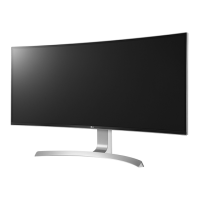
LG 38UC99 - User Manual

LG 38UC99
54 pages
Print Icon
To Next Page IconTo Next Page
Loading...
* LG LED Monitor applies LCD screen with LED
backlights.
Please read this manual carefully before operating
your set and retain it for future reference.
www.lg.com
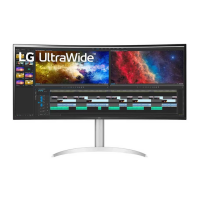
38UC99
OWNER’S MANUAL
IPS LED Monitor
(LED Monitor*)

Other manuals for LG 38UC99

Questions and Answers

  • G
    grahamstacyJul 28, 2025
    Why does my LG 38UC99 Monitor say no signal?
    • D
      Deborah SmithJul 28, 2025
      If your LG Monitor displays nothing, check the signal cable between your PC and the monitor to ensure it is properly connected. A missing or disconnected cable can cause this issue.
  • L
    Lori Marquez PhDAug 7, 2025
    How to fix out of range on LG 38UC99 Monitor?
    • B
      Brian ThompsonAug 7, 2025
      If your LG Monitor screen is blank, and you see a message indicating the signal from your PC is out of range, refer to the Product Specification section of this manual to set the appropriate frequency.
  • J
    josephyatesAug 15, 2025
    What to do if nothing is displayed on the LG 38UC99 Monitor screen?
    • L
      lauren19Aug 15, 2025
      If nothing is displayed on your LG Monitor screen, ensure the power cord is correctly plugged into the outlet and that the power cable is properly connected. Then, press the power button. If that doesn't work, verify that the connected input is enabled via the Menu > Input settings. Also, if the monitor is in sleep mode, try moving the mouse or pressing a key on the keyboard. Finally, ensure your computer is turned on.

Summary

Assembling and Preparing

Product Composition

Lists all components included in the product box for setup.

Product and Button Description

How to Use the Joystick Button

Explains basic functions and controls using the monitor's joystick.

Input Connector

Moving and Lifting the Monitor

Installing the Monitor

Assembling the Stand

Step-by-step guide on how to assemble the monitor stand.

Installing on a Table

Adjusting the Stand Height

Adjusting the Angle

Tidying up Cables

Using the Kensington Lock

Detaching the Stand Body

Installing the Wall Mount Plate

Installing on the Wall

Using the Monitor

Connecting to a PC

Instructions for connecting a computer to the monitor.

HDMI Connection

Details on how to connect using an HDMI cable for video and audio.

DisplayPort Connection

USB-C Connection

Connecting AV Devices

HDMI Connection

Steps to connect AV devices to the monitor using HDMI.

Connecting Peripherals

USB Cable Connection

How to connect peripherals using USB cables to the monitor's hub.

Connecting Headphones

Service Only Port

User Settings

Activating the Main Menu

How to access and navigate the monitor's main on-screen display menu.

Main Menu Features

User Settings

Menu Settings

Overview of how to navigate and configure various settings within the OSD menu.

Picture

Quick Settings

Input

PBP

Picture

Sound

General

Troubleshooting

Product Specification

Factory Support Mode

HDMI Timing (Video)

Wireless Module (WB1 NP6) Specifications

Declaration of Conformity

LG 38UC99 Specifications

General IconGeneral
Screen Size38 inches
Resolution3840 x 1600
Panel TypeIPS
Aspect Ratio21:9
Refresh Rate75Hz
Response Time5ms (GTG)
Brightness300 cd/m²
Contrast Ratio1000:1
Color Support1.07 billion colors
Color GamutsRGB 99%
Curvature2300R
Ports2x HDMI, 1x DisplayPort, 2x USB 3.0, 1x USB-C
SpeakersYes, 2 x 10W
Viewing Angle178°
VESA MountYes (100 x 100 mm)
FeaturesOnScreen Control, Black Stabilizer, Reader Mode, Flicker Safe

Related product manuals