Input
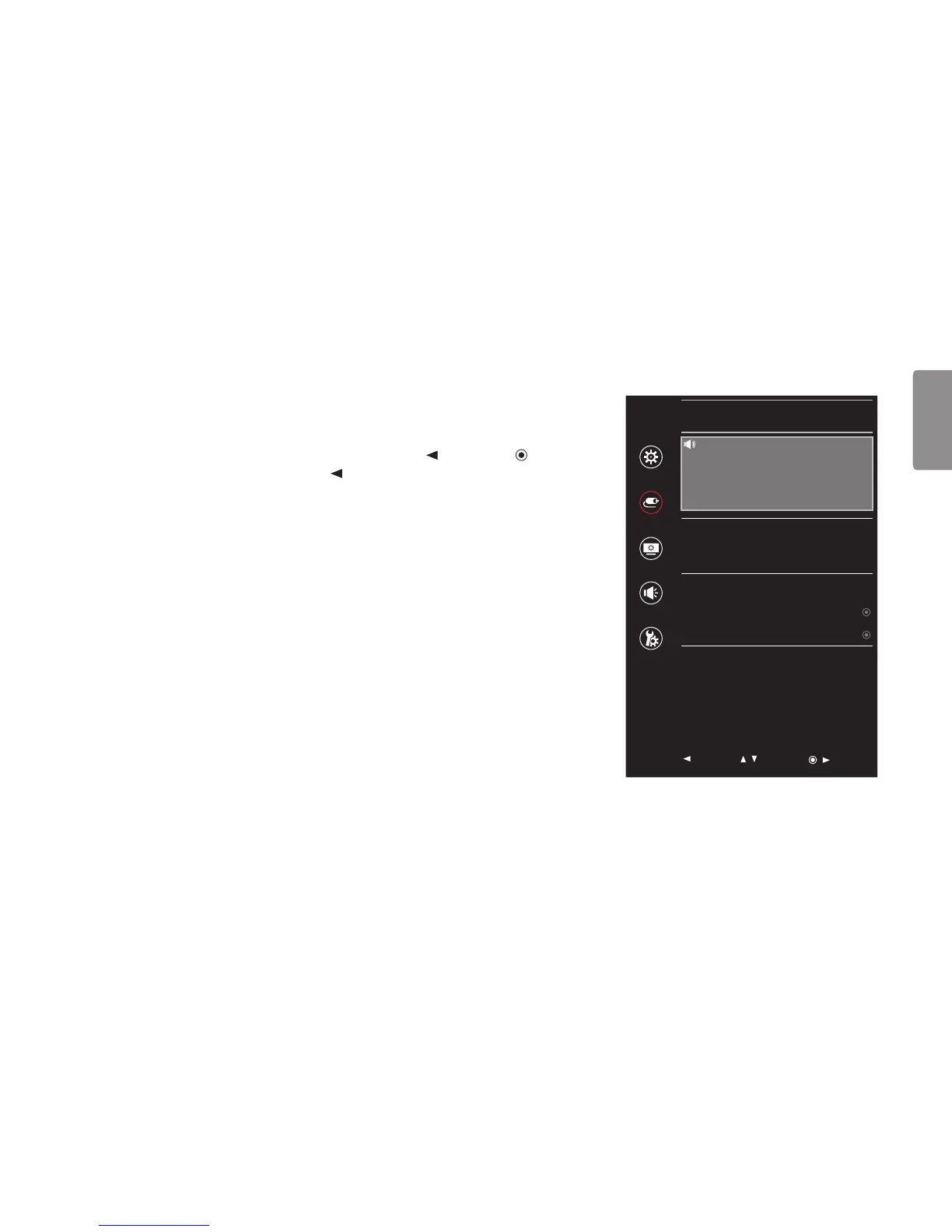
1 To view the OSD menu, press the joystick button at the bottom of the monitor and then enter the Menu.
2 Go to Input by moving the joystick.
3 Configure the options following the instructions that appear in the bottom right corner.
4 To return to the upper menu or set other menu items, move the joystick to or by pressing ( / Ok).
5 If you want to exit the OSD menu, move the joystick to until you exit.
Input
HDMI1
Quick Settings
Input
Main Input List HDMI1 >
Picture
Aspect Ratio Full Wide >
Sound
PBP >
Main/Sub Screen Change
General
Main/Sub Sound Change
Auto Input Switch On >
: Exit
/ : Move
/ : Ok


 To Next Page