6
ENGLISH
Quick Note
Click to open Note. You can write, erase, select objects, etc. For details, please see “3 Note”.
Annotation Tools
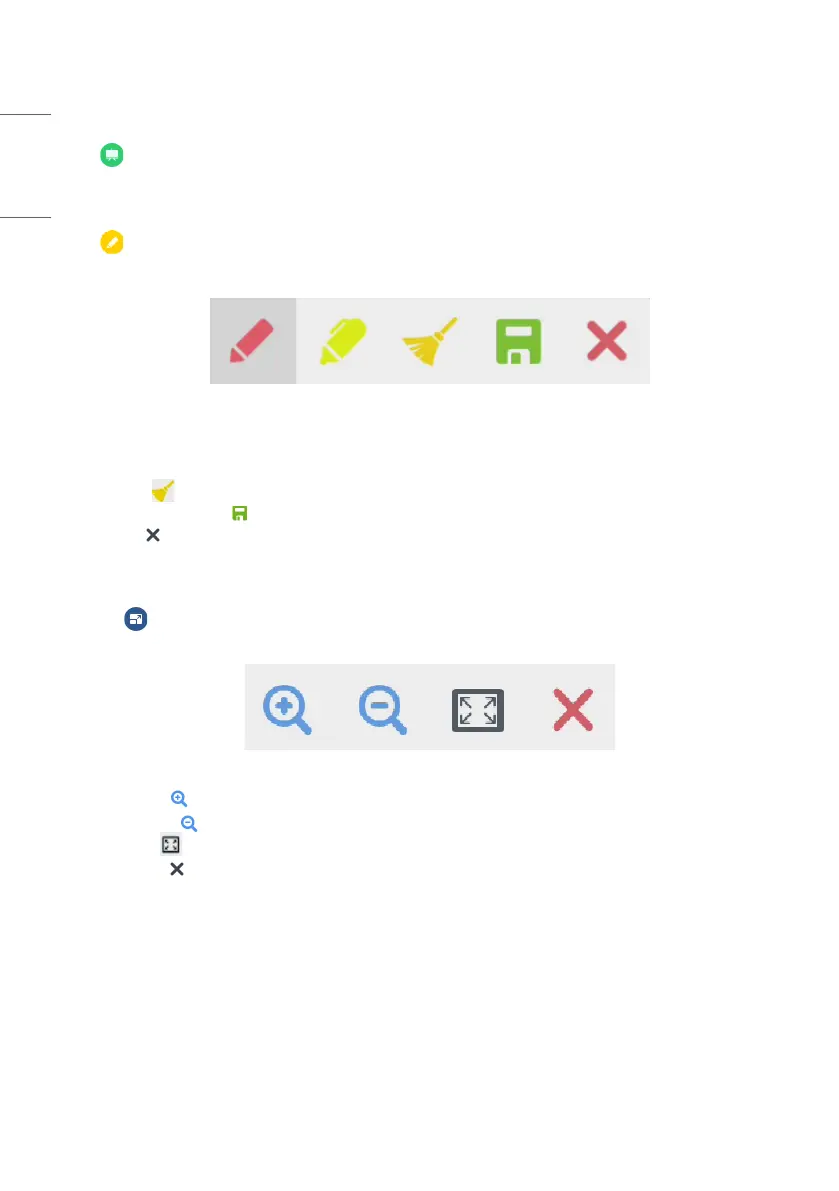
Click to pop out the annotation tools as shown in Fig. 2-5-1. The tool includes such functions as annotation,
gesture erasing, screenshot, and exit. When the quick note is being used, this function is unavailable.
Figure 2-5-1 Annotation tool
• Annotation: After accessing this mode, you access the annotation mode completely, and you can directly write and
note on the interface. You can switch the pen color by clicking it.
• Clean: Click to clean the whole screen
• Screenshot saving: Click to save the current screenshot.
• Exit: Click to exit the annotation mode.
Screen Freezing
Click the button to pop out the screen freezing tools. You can freeze the screen, and at the same time zoom in or
out the current screen.
Figure 2-6-1 Screen freezing tools
• Zoom in: Click to zoom in the current screen.
• Zoom out: Click to zoom out the current screen.
• Return: Click to return to the original size of the screen.
• Exit: Click the button to exit the screen freezing.



 To Next Page