7
ENGLISH
Small Tools
Click to pop out the tool choice box, including spotlight, count down, stop watch, and air class.
Spotlight
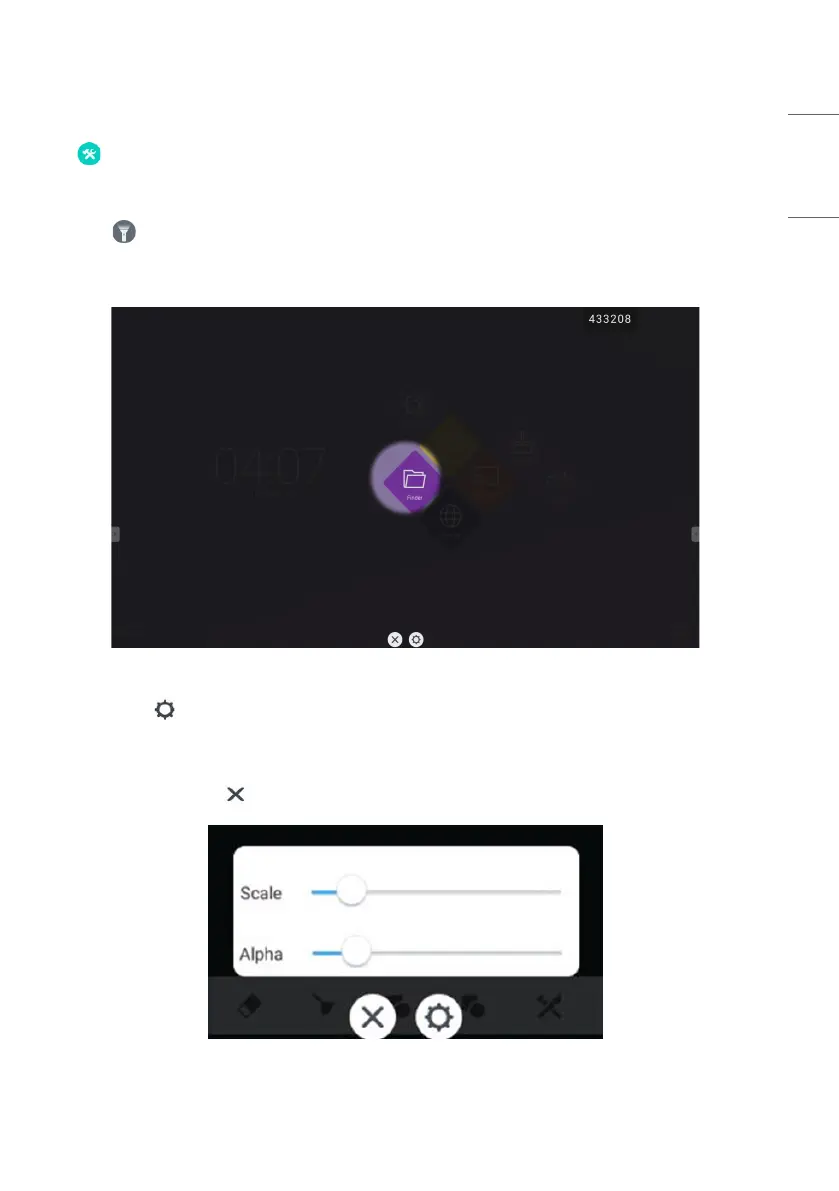
• Click the icon to open the spotlight, as shown in Fig. 2-7-1-1. The spotlight can be used to make audience focus
their attention on the location you need to emphasize
• Drag in the black area to move the location emphasized by the spotlight.
Figure 2-7-1-1 Spotlight interface
• [Settings] Click to pop out the window, as shown in Fig. 2-7-1-2.
- [Scale] Drag the slider to adjust the range of the spotlight. You also can adjust the range of the spotlight by two
fingers.
- [Alpha] Drag the slider to set the transparency of the part sheltered by the spotlight.
• Turn off the spotlight. Click to turn off the spotlight.
Figure 2-7-1-2 Spotlight interface



 To Next Page