18
ENGLISH
Pen
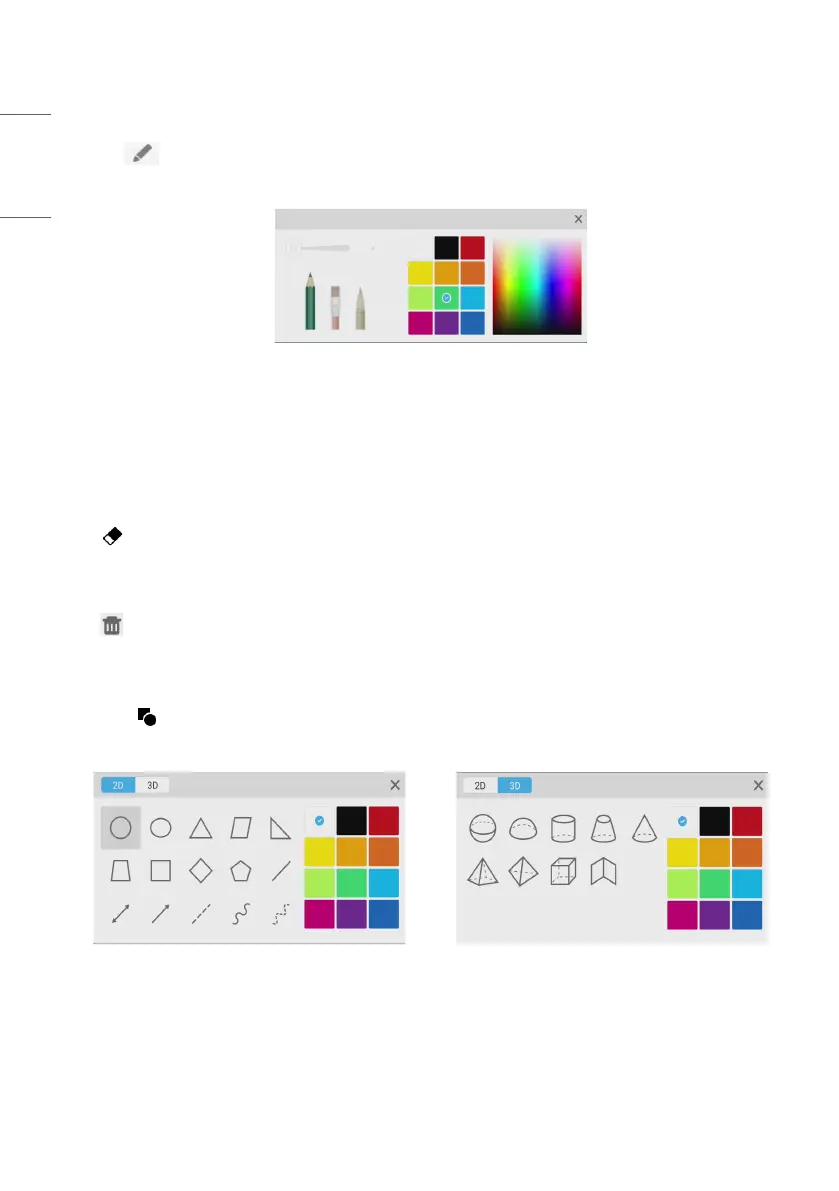
Click the pen button to pop out the pen setting window. After setting the handwriting size and color, the
handwriting will appear on the place you need to write when you slide.
Fig 3-4-1 Pen setting
• Pen: Including pencil and a row of brushes. Pencil is set by default.
• Handwriting size: Slide the handwriting size slide bar to change the handwriting size.
• Handwriting color: Click the color of the color disk on the right side to change the handwriting color as required.
Eraser
Click to select the eraser. Select by circling the object you need to erase.
Clean
Click to clean the whole screen.
Shape
• Click the shape button to pop out the shape window.
• We provide 2D and 3D shapes you can choose.
Fig 3-7-1 Shape window



 To Next Page