25
ENGLISH
Exit
Click to exit the file browsing, and return to the homepage.
SETTINGS
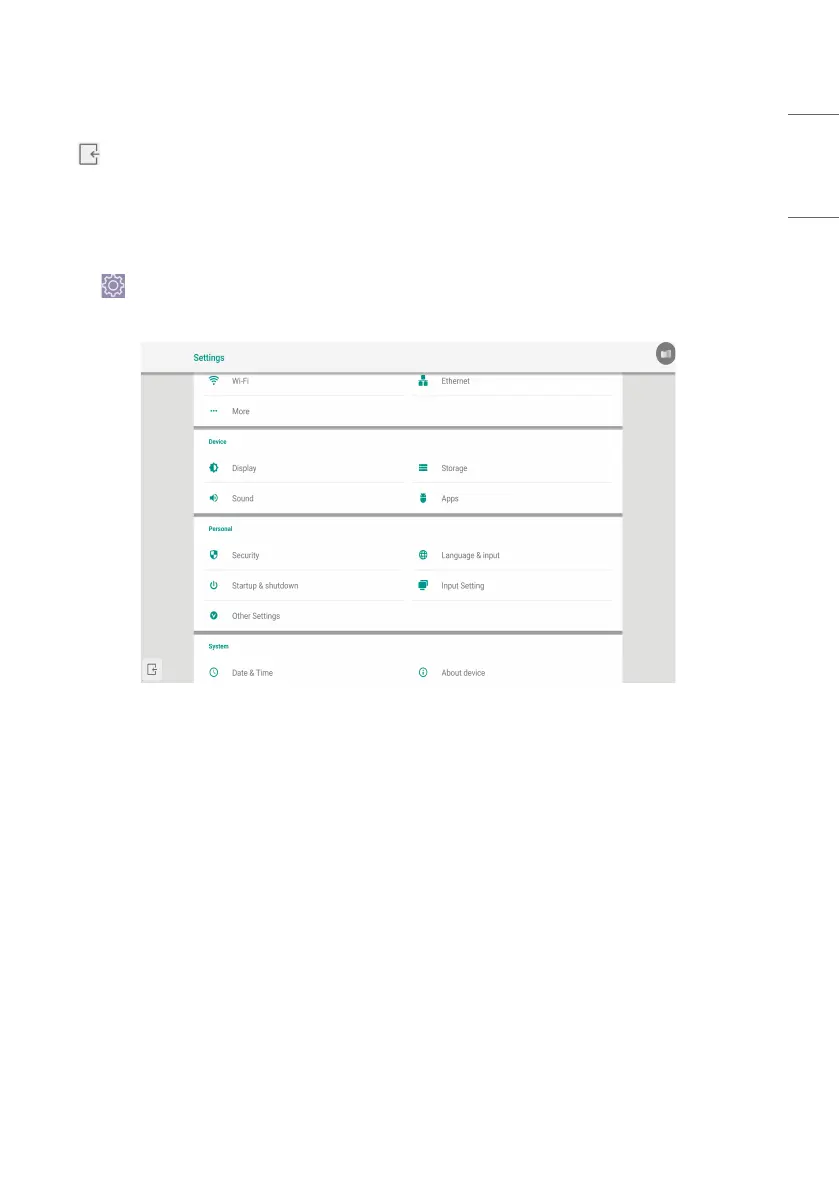
Click the button to open setting, as shown in Fig. 5-1. You can tap to click and select the setting option, including
[Wireless & networks], [Device], and [Personal].
Fig 5-1 Setting menu
[Wireless & networks]
You can set whether to enable the network, and view the network, including the MAC address, IP address, mask, and
gateway.
* Wi-Fi Direct and Bluetooth are not supported.
[Device]
Display: setting wallpaper, and Pixel shift.



 To Next Page