54
ENGLISH
Setting Menu
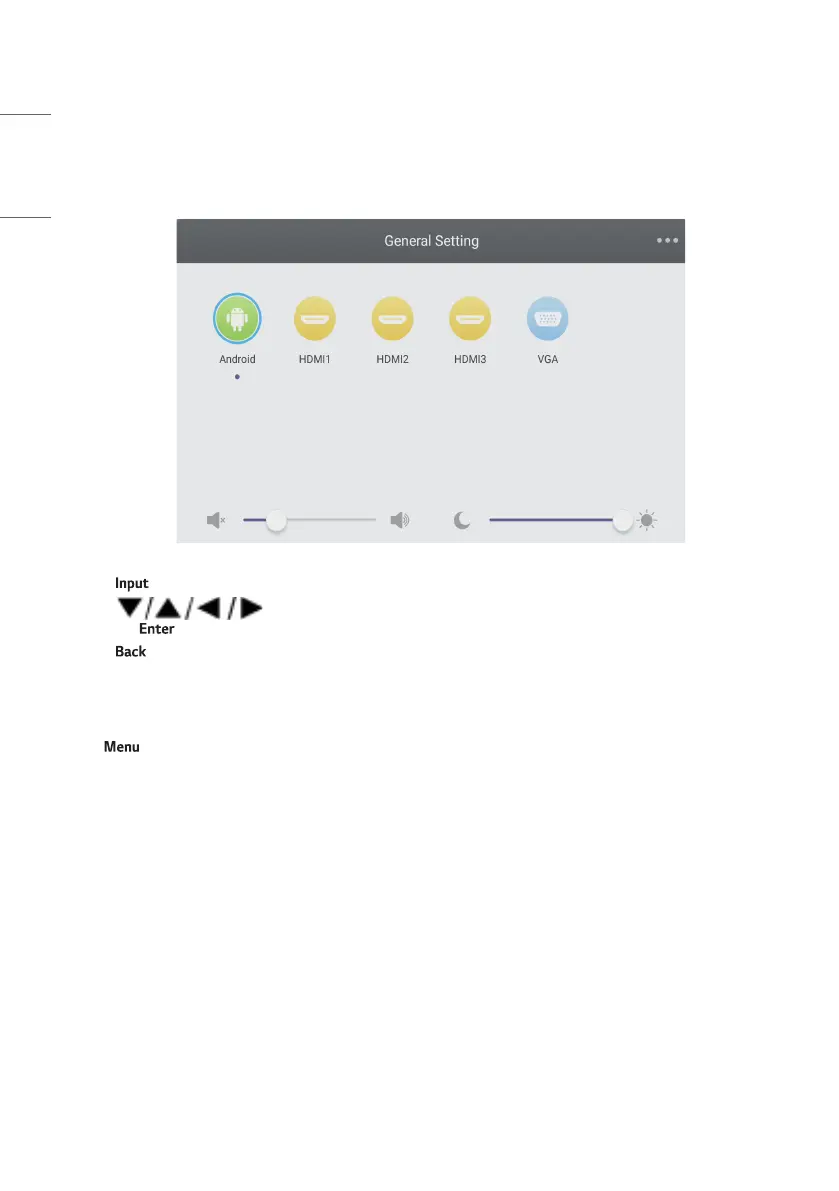
[General Setting]
• Press button on remote control or via touch A method to call up [General Setting] menu.
• Press button on remote control to select the channel you need.
• Press the button on remote control or directly click with touch pen to confirm selected input channel.
• Press button on remote control or click blank area outside menu with touch pen to exit menu.
• Note: PC channel will only display when the equipment connects the built-in computer.
Detail Setting Menu
Press on remote control or click the icon on [General Setting] menu with touch pen to call up detail setting menu.
Detail setting menu includes [Audio], [Screen], [Display] and [Adjust].



 To Next Page