EasyManua.ls Logo

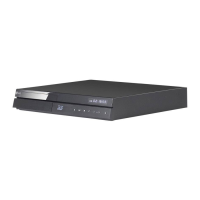
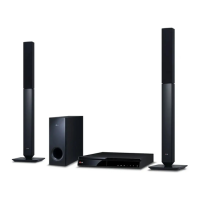
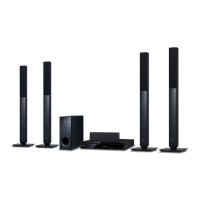
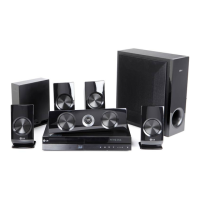
LG BH6740TK - User Manual

LG BH6740TK
72 pages
Print Icon
To Next Page IconTo Next Page
Loading...
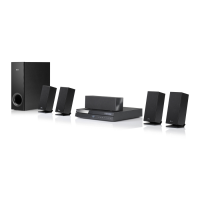
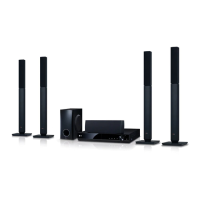
BH6740TK (BH6740TK, S63T2-S, S63S2-C, S63T1-W)
Please read this manual carefully before operating
your set and retain it for future reference.
OWNER’S MANUAL
3D Blu-ray™ / DVD
Home Theater
System

Table of Contents

Questions and Answers

  • J
    Jason KingSep 2, 2025
    What to do if the remote control for my LG BH6740TK Home Theater System isn't working?
    • B
      Bruce BarnesSep 2, 2025
      If the remote control for your LG Home Theater System isn't working properly, make sure the remote is pointed at the remote sensor on the unit and that there are no obstacles blocking the path. Ensure you are not too far from the unit. Also, check the batteries in the remote control to see if they are exhausted.
  • D
    Dylan ScottSep 14, 2025
    Why is my LG BH6740TK Home Theater System Blu-ray 3D disc playback not outputting 3D views?
    • B
      bcookSep 14, 2025
      If your LG Home Theater System Blu-ray 3D disc playback is not outputting 3D views, connect the player to your TV with an HDMI cable (Type A, High Speed HDMI™ Cable). Your TV may not support 'HDMI 3D mandatory format'. Also, check that the [3D Mode] option in the [Settings] menu is set to [On].
  • E
    Ellen MillerAug 31, 2025
    Why won't my LG Home Theater System start playback?
    • J
      Joseph HarrisAug 31, 2025
      Your LG Home Theater System might not start playback for several reasons: * A playable disc might not be inserted. Ensure the disc type, color system, and regional code are compatible. * The disc might not be placed correctly. Place the disc with the playback side down, correctly inside the guide on the disc tray. * The disc might be dirty. Clean the disc. * The Rating function might be enabled. Cancel the Rating function or change the rating level.
  • J
    Jill ContrerasSep 16, 2025
    Why is my USB storage device not recognized by LG Home Theater System?
    • V
      valenciadonaldSep 16, 2025
      If your LG Home Theater System isn't recognizing the connected USB storage device: * Try a different USB cable, as some cables may not provide enough current. * Avoid using USB extension cables or USB hubs, as they may prevent recognition. * Note that USB devices requiring additional program installation on a computer are not supported. * Ensure your device is a USB Flash Drive or USB External HDD formatted with FAT32 or NTFS.
  • Z
    zcrossSep 15, 2025
    What to do if my LG BH6740TK does not start playback?
    • P
      Pamela CooperSep 16, 2025
      If your LG Home Theater System isn't starting playback, try these steps: 1. Insert a playable disc, ensuring it's the correct type, color system, and regional code. 2. Place the disc with the playback side facing down. 3. Make sure the disc is correctly placed on the disc tray inside the guide. 4. Clean the disc. 5. Cancel the Rating function or change the rating level.
  • V
    Virginia DanielSep 23, 2025
    Why can't my LG BH6740TK play certain video, photo, or audio files?
    • C
      Christine ThompsonSep 23, 2025
      Your LG Home Theater System might not be able to play certain video, photo, or audio files if the files are not recorded in a format that the unit supports, or if the unit does not support the codec of the video file.
  • R
    Rhonda DawsonAug 28, 2025
    How to reset LG BH6740TK Home Theater System that won't turn on or off?
    • M
      Matthew HessAug 28, 2025
      If your LG Home Theater System is plugged in but won't turn on or off, you can try resetting it. Unplug the power cord, wait at least five seconds, and then plug it back in.
  • G
    garciadanielAug 27, 2025
    How to reset my LG Home Theater System if the power won't turn on or off?
    • C
      Carla ThompsonAug 27, 2025
      If your LG Home Theater System is plugged in but won't turn on or off, you can reset it by unplugging the power cord, waiting at least five seconds, and then plugging it back in.
  • J
    Jesse SantiagoAug 26, 2025
    What to do if the LG BH6740TK remote control is not working?
    • C
      Carlos LeeAug 26, 2025
      If the remote control for your LG Home Theater System isn't working properly, make sure it's pointed directly at the unit's remote sensor and is within a reasonable distance. Ensure there are no obstacles blocking the path between the remote and the unit. Also, check the batteries in the remote to see if they are exhausted.
  • D
    dwatkinsAug 25, 2025
    What to do if my LG BH6740TK Home Theater System is plugged in, but the power will not turn on or off?
    • J
      Jonathan HerreraAug 26, 2025
      If your LG Home Theater System is plugged in but won't power on or off, reset the unit by unplugging the power cord, waiting at least five seconds, and then plugging it back in.

LG BH6740TK Specifications

General IconGeneral
TypeBlu-ray Home Theater System
Total Power Output1000W
Speaker Configuration5.1 Channel
Blu-ray PlaybackYes
3D PlaybackYes
Smart FeaturesYes
Wi-FiYes
HDMI Inputs2
USB PlaybackYes
EthernetYes
HDMI Output1
USB1
BluetoothYes
FM RadioYes
Video OutputHDMI, Composite
Audio DecodingDolby Digital, DTS
Audio InputOptical Digital Audio Input
Disc CompatibilityBD, DVD, CD
Speaker Configuration Details5 satellite speakers + 1 subwoofer

Related product manuals