Connecting Device
16
Connecting Device
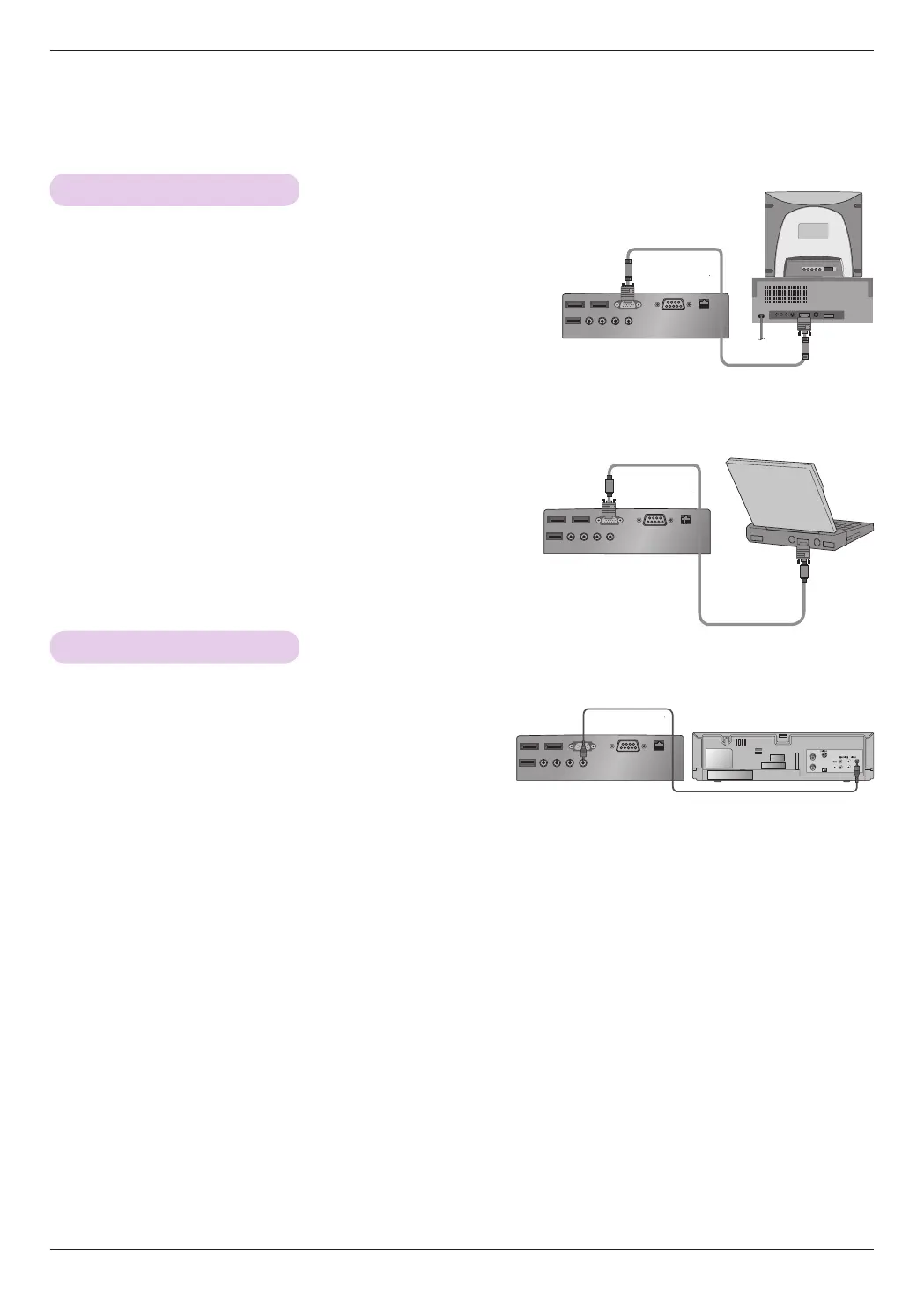
Connecting to a PC
* You can connect the projector to a computer with an VGA, SVGA, XGA or SXGA output.
* See page 41 for a list of supported monitors.
<How to Connect>
Connect the projector's RGB IN port to the computer's
RGB output port using a computer cable.
* For IBM PC/AT-compatible laptops, video can be displayed on
both the laptop monitor and the external one. If the video is
displayed on both, the image quality on the external monitor
may not be satisfactory. In this case, configure the laptop's
video output to the external monitor only. (For more detailed
information, refer to your laptop's user manual.)
Connecting to a Video Player
<How to Connect>
Connect the projector's
VIDEO
port to the audio/video
device's output jack using a video cable.
<Video Player>
Video Cable
Computer Cable
Computer Cable
UV565F



 To Next Page