Function
32
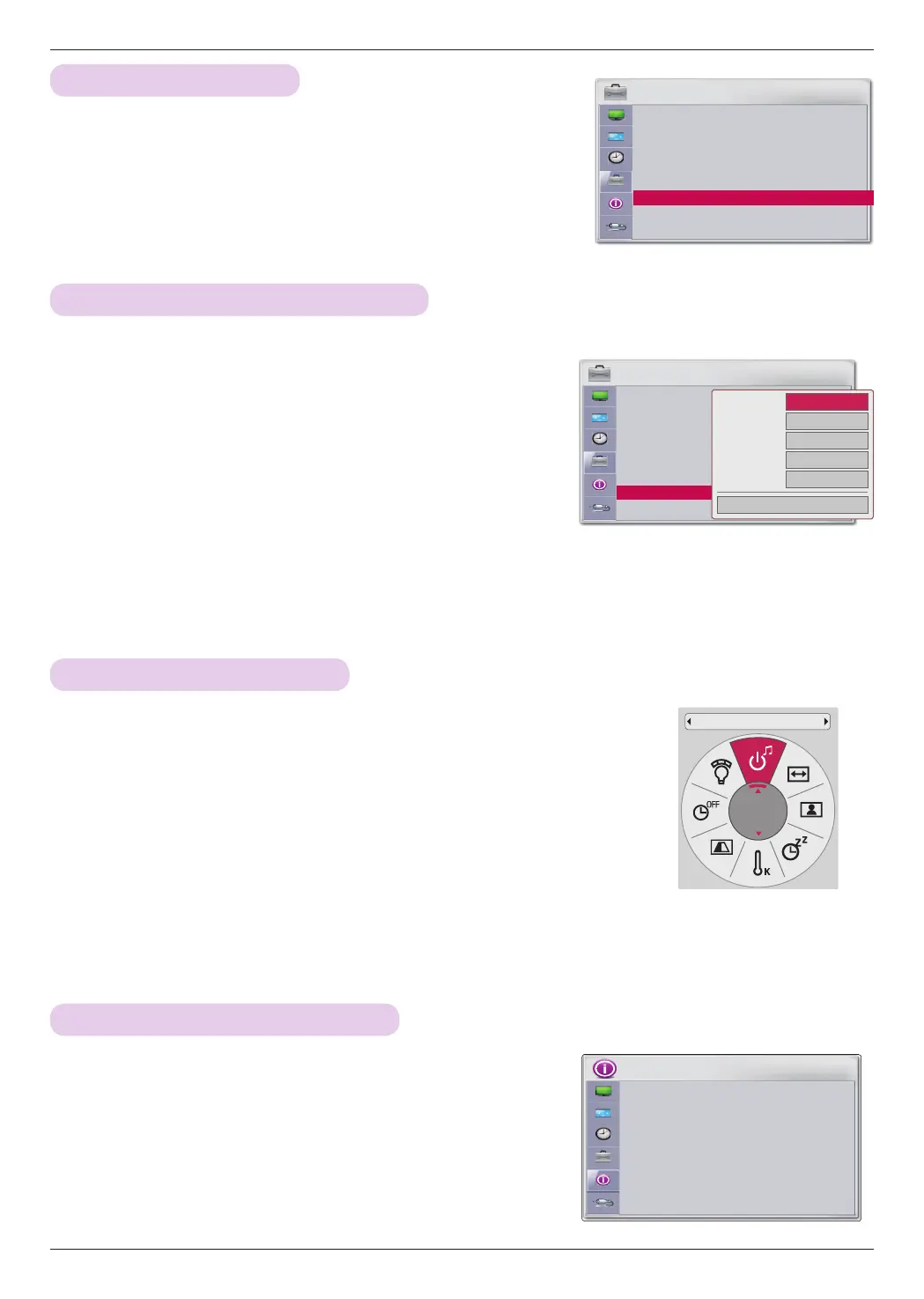
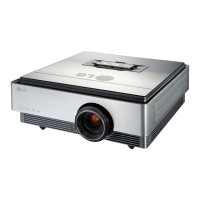
1. Press the MENU button, then go to Options with the ∧, ∨, <, >
buttons and press OK
◉
.
2. Press the ∧, ∨ buttons to go to Input Label and press OK
◉
.
3. Press the ∧, ∨ buttons to select an input.
4. Press the <, > buttons to select a device.
5. Press the ∧, ∨ buttons to select Close and press OK
◉
.
ꔈPress the BACK button to exit the menu screen.
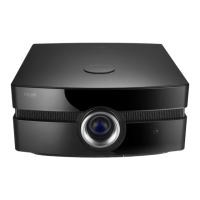
1. Press the Q.MENU button on the remote control.
2. Press the <, > buttons to go to Power Sound.
3. Press the ∧, ∨ buttons to select an option.
ꔈ You can select this function through the MENU button.
ꔈ Press the BACK button to exit the menu screen.
Setting the Name of a Connected Device
Setting Power Sound
* You can set the name of an external device.
* You can turn the opening sound on or off.
OPTION
Menu Language : Korean
Blank Image : Blue
Camera Calibration
Lamp Mode : Normal
High Altitude
Network Setting
Set ID
Input Label
Power Sound : On
ꔂ Move ꔉ OK
ꔗ
ꔃ
Close
Video
Component
RGB
HDMI1
HDMI2
1. Press the MENU button, then go to OPTION with the ∧, ∨, <, >
buttons and press OK
◉
.
2. Press the ∧, ∨ buttons to go to SET ID and press OK
◉
.
Setting SET ID
* Set ID is 1 - 99.
* Only the saved Set ID is effective.
OPTION
Menu Language : Korean
Blank Image : Blue
Camera Calibration
Lamp Mode : Normal
High Altitude
Network Setting
Set ID : 1
Input Label
Power Sound : On
ꔂ Move ꔉ OK
INFORMATION
Lamp Time (L)
: 29
Lamp Time (R)
: 29
Input
: HDMI1
Resolution
: 1080p
Fh/Fv
: 67 Khz/60 Hz
IP Address
: 223.212.145.0
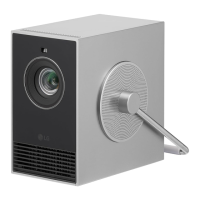
Information Function
1. Press the MENU button, then go to INFORMATION with the ∧,
∨, <, > buttons and press OK
◉
.
2. You can check the current information of the projector.
ꔈ Press the BACK button to exit the menu screen.
Checking Projector Information
Power Sound
On



 To Next Page