46
Title List and Chapter List Menu (Continued)
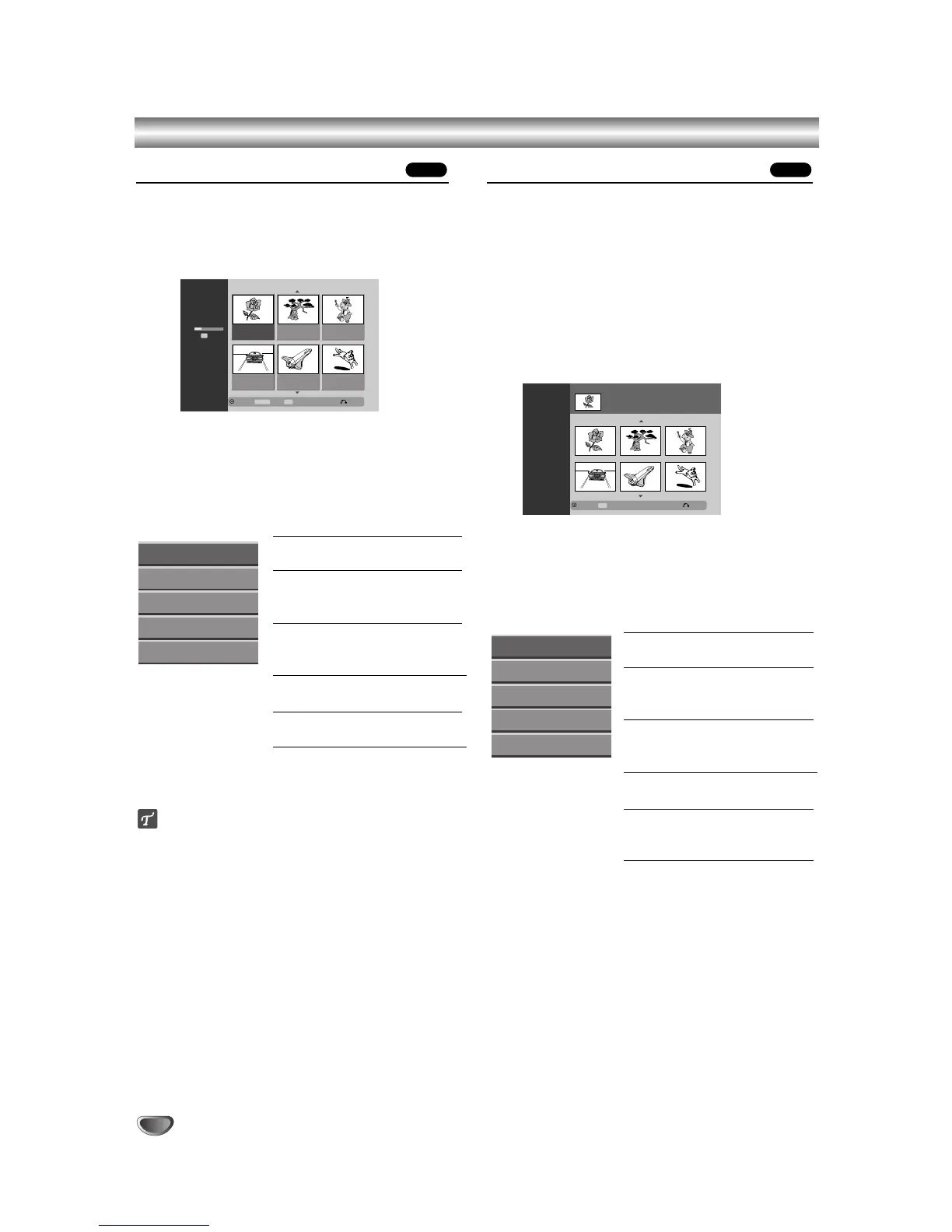
Using the Title List-Playlist Menu
11
Press MENU/LIST repeatedly to display the Title
List-Playlist menu.
• Use the v / V buttons to display the previous/
next page if there are more than 6 titles.
•
To exit the Title List-Playlist, press RETURN (O).
22
To view Title List-Playlist options, select the title
you want then press ENTER.
Title List-Playlist options appears on the left side of
the menu.
33
Use v / V to select an option then press ENTER
to confirm.
Play: Starts playback the
selected title.
Chapter: Moves Chapter List-
Playlist menu of the title. (refer
to right on this page)
Delete: Deletes the title from the
Title List-Playlist menu. (page
52)
Title Name: Edits the title
name. (page 53)
Delete Part: Deletes a part of
the Title. (page 52)
44
Press RETURN (O) repeatedly to exit Title List-
Playlist menu.
ip
Press DISPLAY to display more detailed title information
for selected title.
Using the Chapter List-Playlist Menu
11
Press MENU/LIST repeatedly to display the Title
List-Playlist menu.
22
Use vVbBto choose the title you want to
view Chapter List-Playlist menu then press
ENTER.
Title List-Playlist options appears on the left side of
the menu.
33
Use v / V to select ‘Chapter’ from Title List-
Playlist options then press ENTER.
Chapter List-Playlist menu appears on the TV
screen.
44
To view Chapter List-Playlist options, select the
chapter you want then press ENTER.
Chapter List-Playlist options appears on the left
side of the menu.
55
Use v / V to select an option then press ENTER
to confirm.
Play: Starts playback of the
selected chapter.
Title: Moves to Title List-Playlist
menu of the chapter. (refer to
left on this page)
Delete: Deletes the chapter from
the Chapter List-Playlist menu.
(page 52)
Combine: Combines two chap-
ters into one. (page 54)
Move: Moves a chapter of
Chapter List-Playlist menu to a
position on the menu. (page 54)
66
Press RETURN (O) repeatedly to exit Chapter
List-Playlist menu.
VRVR



 To Next Page