7
Getting Started
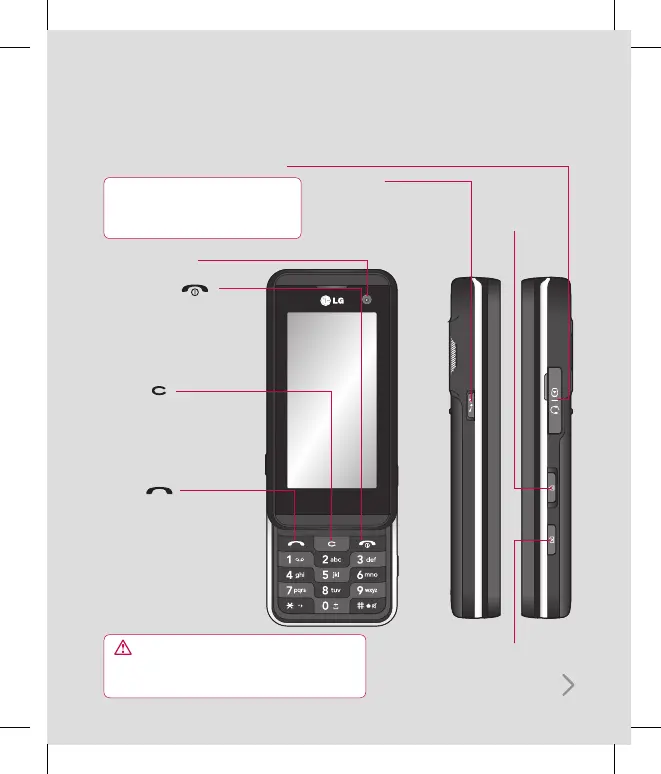
Capture button
Charger, Cable, Handsfree connector
TIP: To connect the USB cable, wait until the
phone has powered up and has registered
to the network.
Call key
Dials a phone number
and answers incoming
calls.
Clear key
Deletes a character with
each press. Use this
key to go back to the
previous screen.
End/Power key
Ends or rejects a call.
Turns the phone on/off.
Press once to return to
the standby screen.
WARNING: Placing a heavy object on the phone or
sitting on it while it is in your pocket can damage the
phone’s LCD and touch screen functionality.
Inner camera lens
Lock/
Unlock key
Shortcut key
Access Shortcut menus with
Shortcut dial. You can change
the sequence of menus from
Shortcut dial setting
.
Getting to know your phone



 To Next Page