General Functions
Signal Strength
If you are inside a building, being near a
window may give you better reception.
You can see the strength of your signal
by the signal indicator ( ) on your
phone’s display screen.
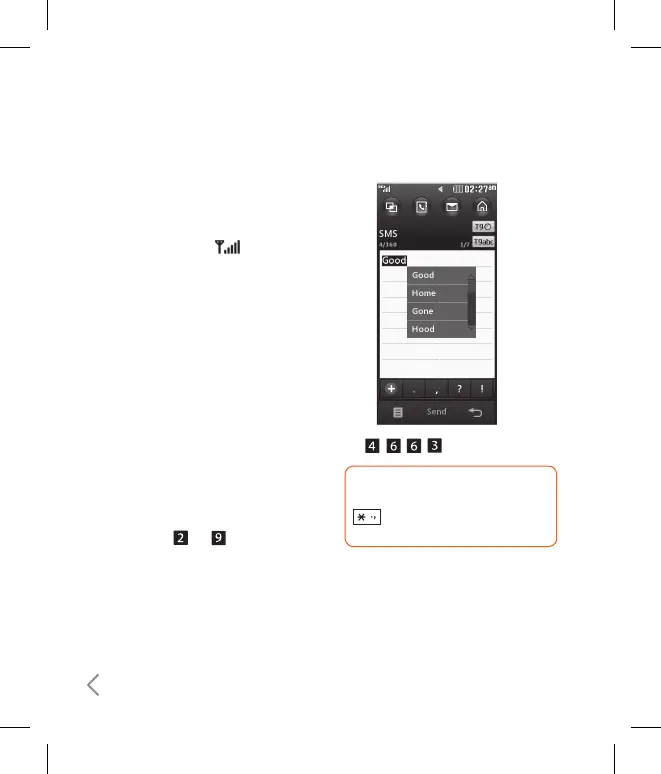
Using the T9 Mode
The T9 predictive text input mode
allows you to enter words easily with
a minimum number of key presses. As
you press each key, the phone begins
to display the characters that it thinks
you are typing based on a built-in
dictionary. As new letters are added, the
word changes to reflect the most likely
candidate from the dictionary.
1. When you are in the T9 predictive text
input mode, start entering a word by
tapping keys to .
ß
The word changes as letters are typed-
ignore what’s on the screen until the
word is typed completely.
Example
Press to type Good.
TIP! You can select a different T9
language from the menu option
. The default setting on the
phone is T9 disable mode.
ß
If the desired word is missing from the
word choices list, add it by using the
ABC mode.
2. Enter the whole word before editing or
deleting any key strokes.



 To Next Page