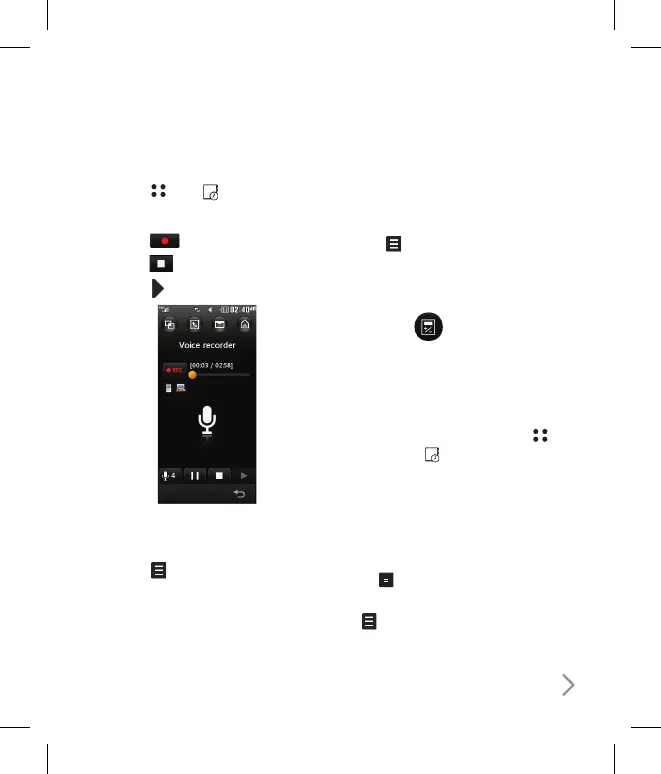
Recording a sound or voice
1 Touch
then
.
2 Touch Voice recorder.
3 Touch
to begin recording.
4 Touch
to end recording.
5 Touch
to listen to your recording.
Sending the voice recording
1 Once you have finished recording,
touch
.
2 Touch Send and choose from
Message, Email or Bluetooth. If
you choose Message or Email,
the recording will be added to the
message and you can write and send it
as normal. If you choose Bluetooth, you
will be prompted to turn Bluetooth on.
Note: After you have finished recording,
touch
and choose Send, Rename,
Delete, Use as (to use the recording as
your ringtone) or Go to my sounds.
Tools
Calculator
Using your Calculator
1 From the standby screen select
,
then touch
and choose Tools.
2 Select Calculator.
3 Touch the numeric keys to input
numbers.
4 For simple calculations, touch the
function you require (+, -, ÷, ×), followed
by .
5 For more complex calculations, touch
and choose from sin, cos, tan, log,
ln, exp, sqrt, deg or rad.



 To Next Page