Getting Started
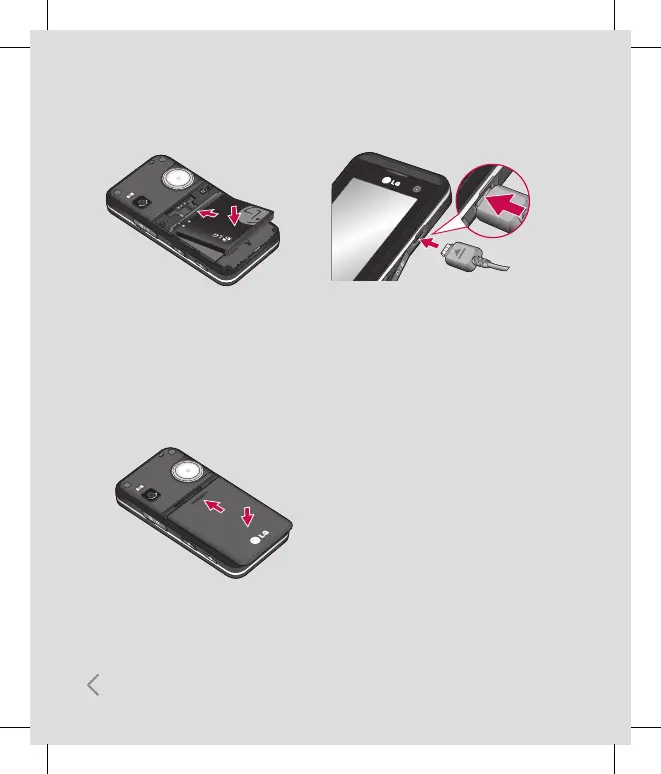
4 Install the battery
Insert the top of the battery first into the top
edge of the battery compartment.
Ensure the battery contacts align with the
terminals on the phone. Press the bottom of
the battery down until it clips into place.
6 Charging your phone
Pull open the cover of the charger socket on
the side of your KF700. Insert the charger
and plug into a mains electricity socket.
Your KF700 will need to be charged until a
message reading Fully Charged appears on
screen.
5 Replace the battery cover
Slide the battery cover towards the top of
the phone until it clicks into place.



 To Next Page