24
Menu tree
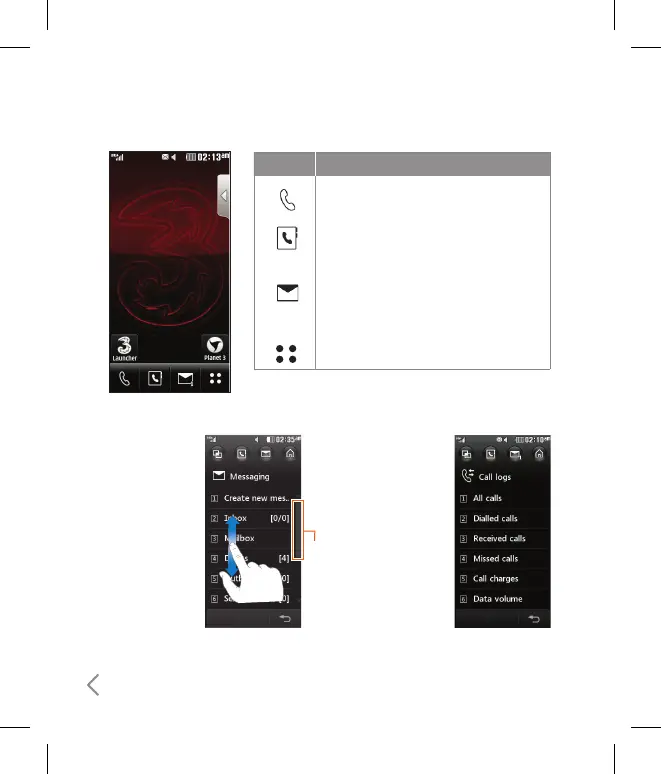
If there is a bar
on the right side
of menu, you
can press and
hold a menu and
scroll up/down
in order to see
hidden menus or
access Shortcut
menus with
Shortcut dial.
Example
If there is no bar
on the right side of
menu, that means
there is no hidden
menu (all of menus
will be shown in a
screen)
Example
Bar
Icon Description
Used to make a call or send text/
multimedia message.
Used to access the phonebook list.
Used to send text/multimedia message
and to view the messages in the inbox.
You can activate various functions
related to messages.
Used to enter menu directly.



 To Next Page