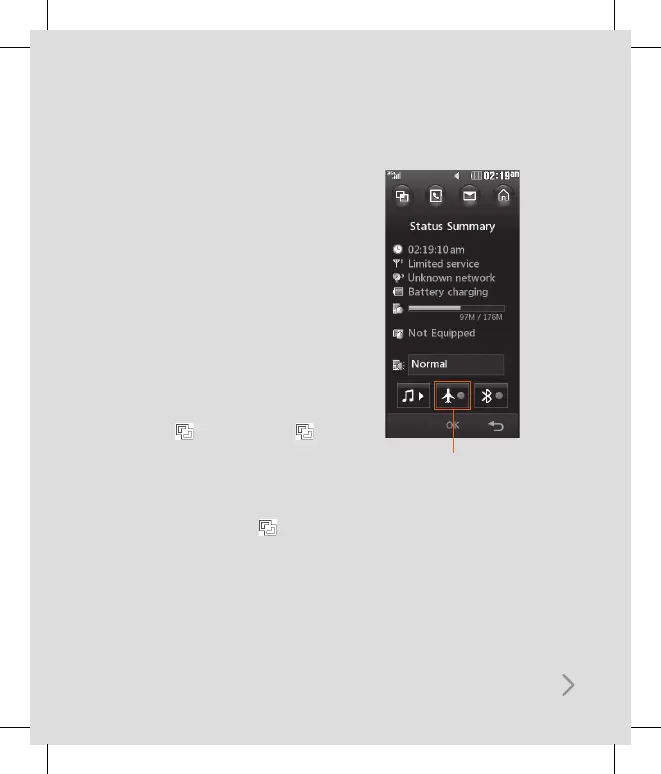
Changing your Status from the
status bar
Touch the icon that represents your
current setting in the status bar and the
Status Summary will open. It shows the
current Time, Network, Service ID, Battery,
Handset memory, External Memory,
Profile, MP3, Flight Mode and Bluetooth
status. You can set Profile type, play MP3
and activate/deactivate Flight Mode and
Bluetooth.
Using the Multitasking function
If you use any function, you can find
Multitasking on the top. Touch to
open the Multitasking menu. From here
you can view all the applications you
have running and access them with
one touch.
From any application, touch and
select Home screen to return to the
standby screen without exiting or closing
the application.
Flight mode will not allow you
to make calls, connect to the
Internet, send messages or use
Bluetooth.



 To Next Page