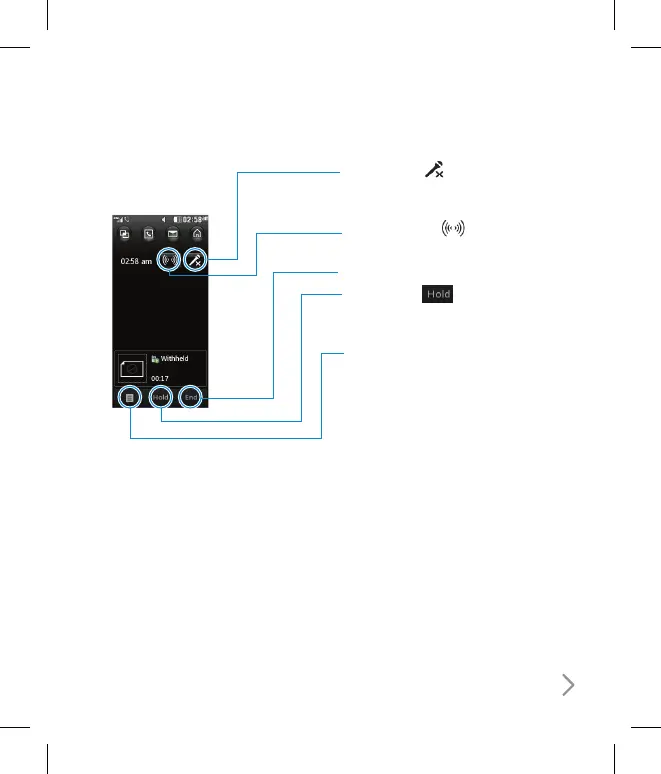
In-call options
Mute - Touch
to turn off the
microphone so the person you are
talking to cannot hear you.
Speaker - Touch
to turn on the
speaker phone.
End
Hold - Touch
to put a caller on
hold. Touch Resume to continue your
conversation.
Options - Choose from a list of further
in-call options, including Go to contacts
and Go to messages so you can check
your messages and add contacts during
a call. You can also end the call from here
by touching End call.
Adjusting the call volume
To adjust the volume during a call turn
the jog wheel clockwise to increase the
volume or anti-clockwise to decrease
the volume.



 To Next Page