Using the flash
The flash is set to off as default, but there
are other options.
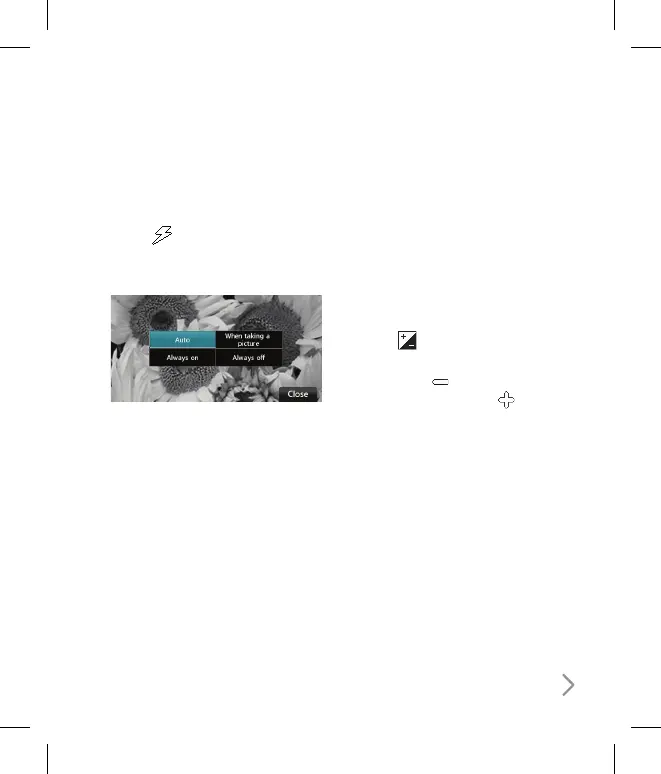
1 Select
from the top right corner
of the viewfinder to enter the flash
sub-menu.
2 There are three flash options:
Auto - Your camera will assess the
lighting needed to take a good picture
and use the flash as necessary.
When taking a picture - The flash will
only come on as you take a photo.
Always on - The flash will always be on
when in camera mode.
Always off - The camera will never
flash. This is useful if you want to save
battery power.
3 Touch the flash option you’d like to use.
4 When you’ve made your selection the
flash menu will automatically close,
ready for you to take your picture.
Adjusting the contrast
Contrast defines the difference between
light and dark in an image. A low contrast
image will appear foggy, whereas a high
contrast image will appear much sharper.
1 Touch .
2 Slide the contrast indicator along the
bar, towards for a lower contrast,
hazier image or towards for a
higher contrast, sharper image.



 To Next Page