Operating14
Operating
2
Radio Operations
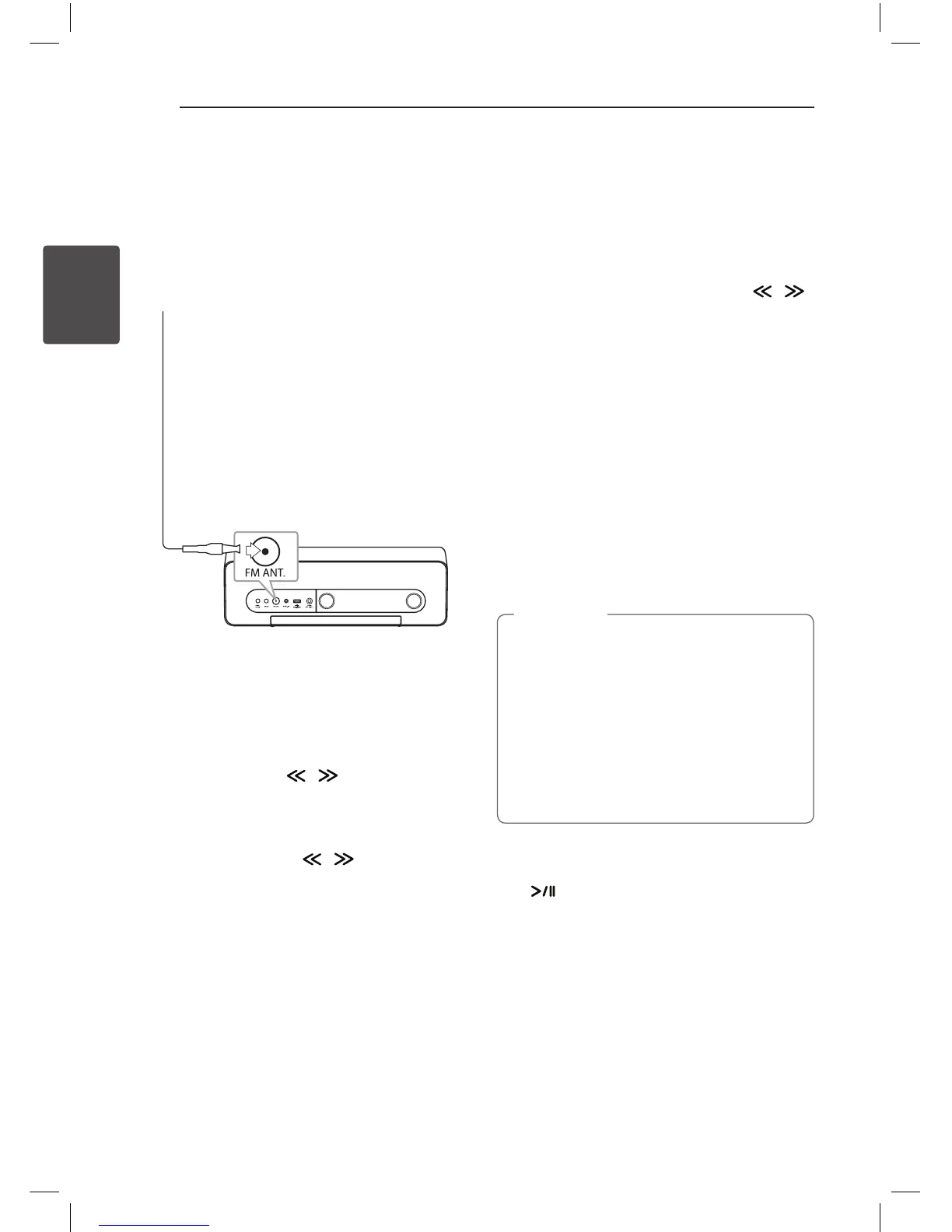
Antenna Connection
Connect the FM wire antenna to FM antenna
connector.
Listening to the Radio
1. Press
P
FUNCTION or
P
repeatedly until FM
appears in the control panel. The last received
station is tuned in.
2. Auto tuning : Press / for about 2 seconds
until the frequency indication starts changing,
then release. Scanning stops when the unit
tunes in a station.
Manual tuning : Press / repeatedly.
3. Adjust the volume by pressing -/+ (Volume).
Presetting the Radio Stations
You can store up to 10 FM preset stations.
Before tuning, make sure that you have turned
down the volume.
1. Press
P
FUNCTION or
P
repeatedly until
FM appears in the control panel.
2. Select the desired frequency by using / .
3. Press MEMORY. A preset number will blink in
the control panel.
4. Press PRESET
W
/
S
to select the preset number
you want.
5. Press MEMORY. The station is stored.
6. Repeat the steps 2 to 5 to store other stations.
Press PRESET
W
/
S
to select a preset station.
Deleting All the Saved
Stations
Press and hold MEMORY for two seconds. “CLR” will
ash up. Press MEMORY again. Then all the saved
stations are deleted.
• If all stations have already been preset,
“FULL” will appear in the control panel for
a moment and then a preset number will
blink.
• Although all stations were preset, you can
preset a station by overwriting the previous
station.
• You cannot delete the preset stations one
by one.
,
Note
Improving Poor FM Reception
Press . This will change the tuner from stereo to
mono and usually improve the reception.
ND5521-FC.BDEULLK_ENG.indd 14 12. 10. 10. �� 1:41



 To Next Page