Getting Started8
Getting Started
1
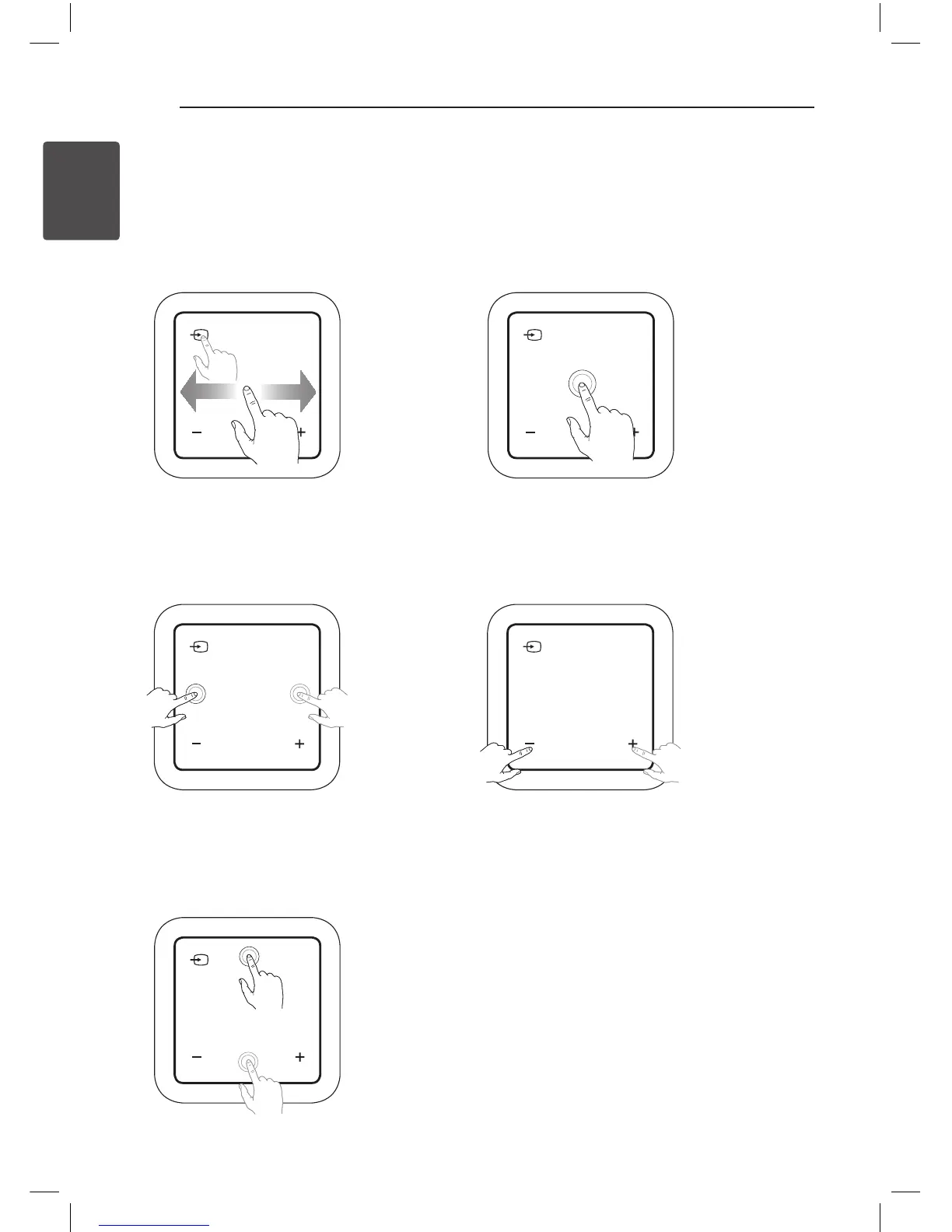
Control Panel
y
Switch function :
Taps
P
or swipes left or right with your nger.
Selects the function and input source.
(IPOD/ANDROID/BT(Bluetooth)/PORT/FM)
y
Skip/Search :
-
Skips Fast backward or Forward.
-
Searches for a section within a le.
y
Up/Down :
Chooses a preset number for a radio station.
y
Play/Pause :
Taps the center position to play back or pause.
y
-/+ (Volume) :
Adjusts speaker volume.
ND5521-FC.BDEULLK_ENG.indd 8 12. 10. 10. �� 1:41



 To Next Page