24
ENGLISH
AdjustingtheMenu
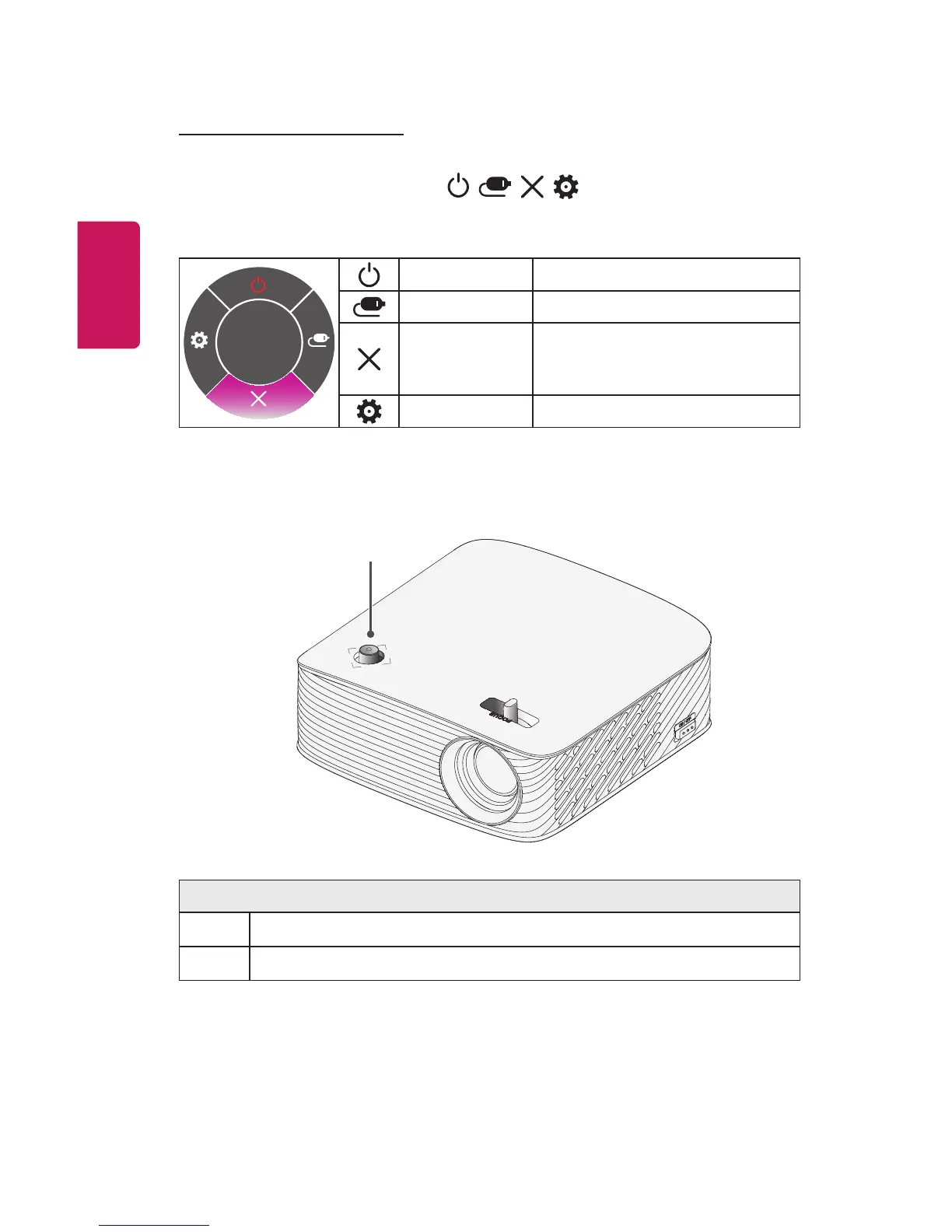
When the projector is turned on, press the joystick button one time.
You can adjust the menu items ( , , , ) moving the joystick
button left, right, up, or down. Move to the desired menu item, and then
press the joystick button once to select it.
Close
Projectoroff
Turns the power off.
InputList Changes the input source.
Close
Clears on-screen displays and
returns to projector viewing.
Settings Displays the Settings menu.
ProjectorStatusIndicators
LEDPowerIndicator
LEDPowerIndicator
Red
Power standby state
Off
The projector is operating with the power on.















 To Next Page