81
ENGLISH
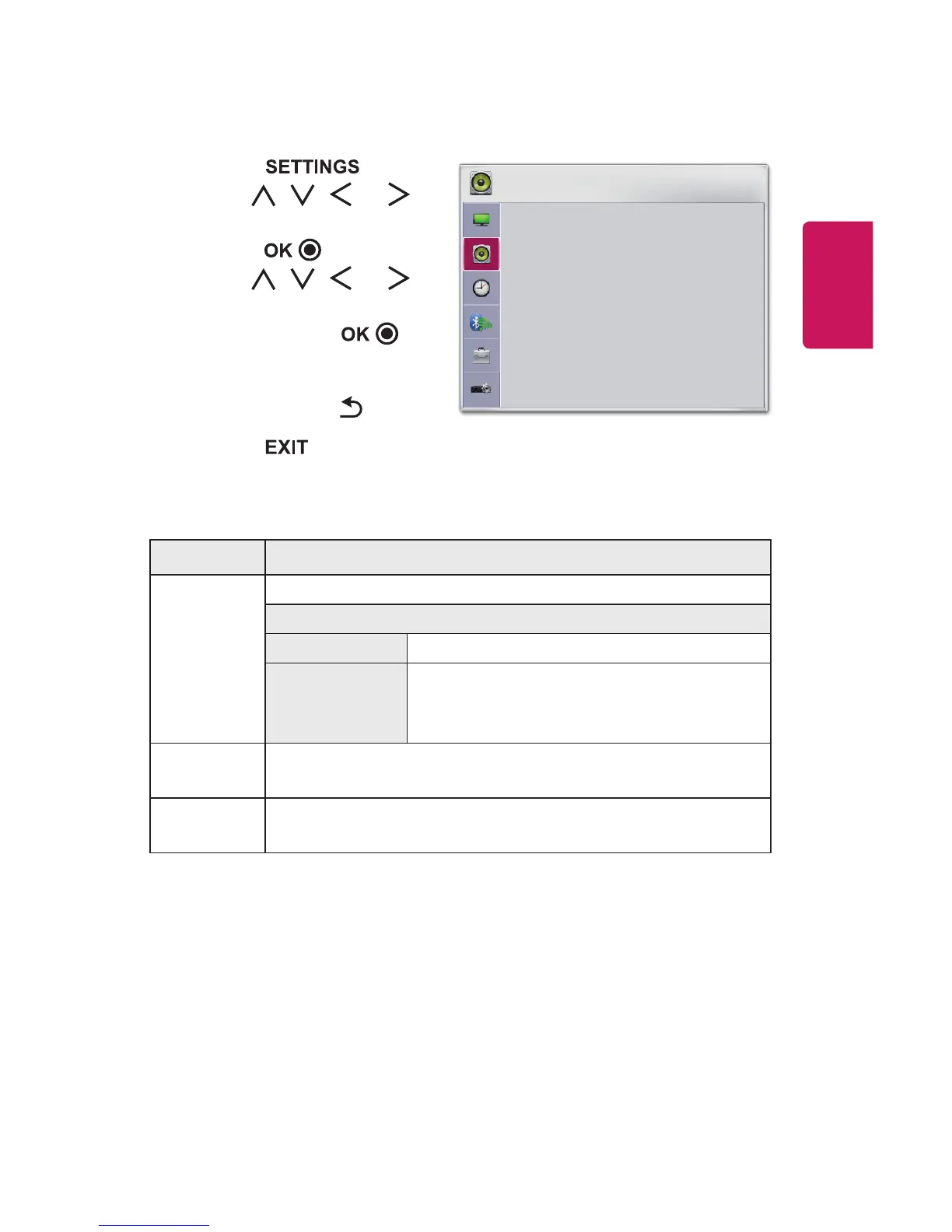
AUDIOSettings
1 Press the button.
2 Use the , , , or
button to select AUDIO and
press the button.
3 Use the , , , or
button to set up the desired
item and press the
button.
- To return to the previous
menu, press the button.
4 Press the button when
completed.
AUDIO
• Sound Mode : Standard
• Clear Voice II
• Auto Volume : Off
ꔂ Move ꔉ OK
The available audio settings are described as follows.
Menu Description
Sound
Mode
Sets the sound mode.
Mode
Standard Suitable for all types of video.
News/Music/
Cinema/
Sport/Game
Sets audio optimized for a specic genre.
Clear
VoiceII
Makes the voice from the projector crisp and clear.
Auto
Volume
Automatically adjusts the volume level.




 To Next Page