40
Divide One T
Divide One T
itle Into T
itle Into T
wo
wo
Use this command to split a title up into two new titles.
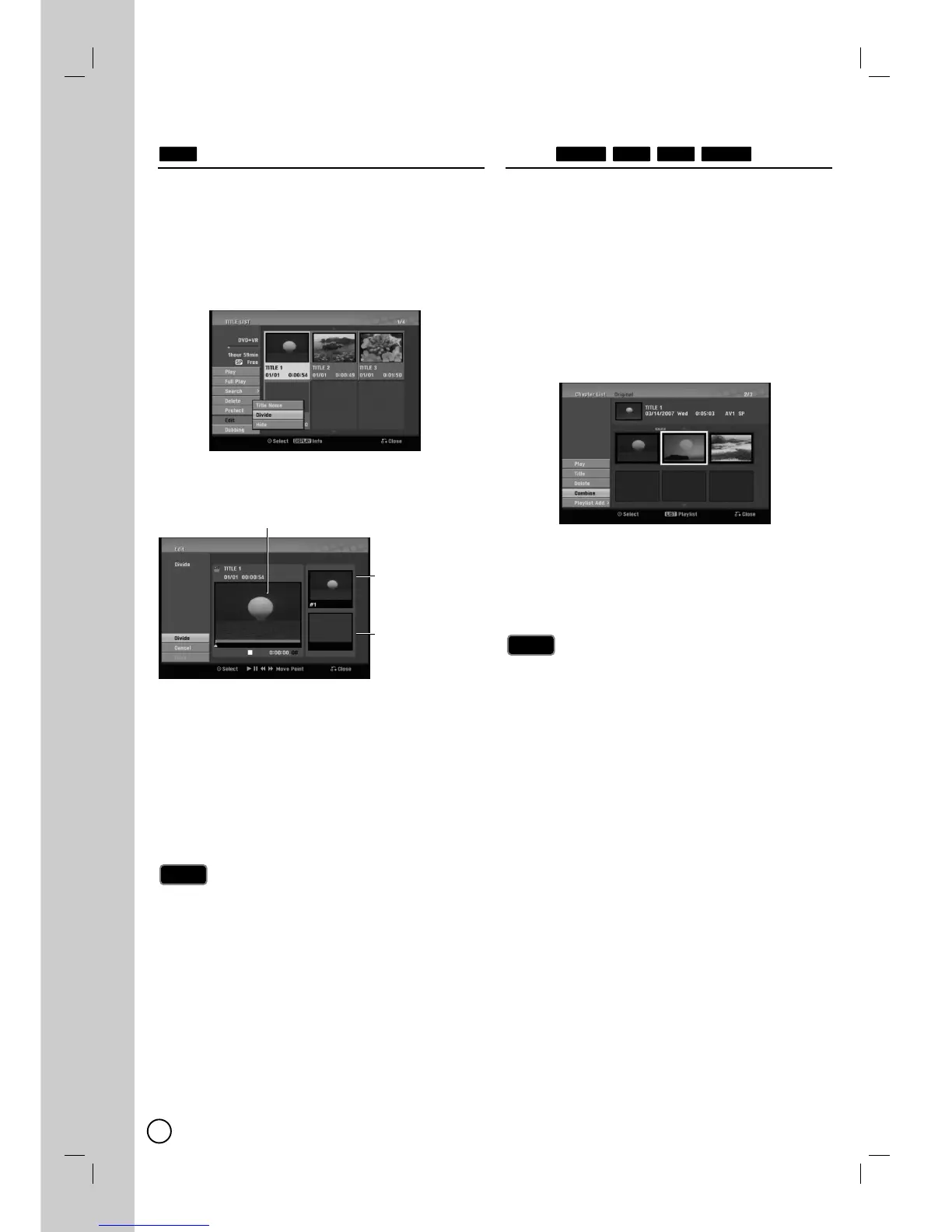
1. On the Title List menu, select a title you want to
divide then press ENTER (
).
The menu options appears on the left side of the
screen.
2. Select [Edit] > [Divide] option.
Example: Title List (DVD+RW)
3. Press ENTER (
).
[Edit (Divide)] menu appears.
4. Use play, pause step, search and slow-motion to
find the point you want to divide the title.
5. Select [Divide] option then press ENTER (
) at the
point.
To reset the point, select [Cancel] option then press
ENTER (
). Repeat from step 4.
6. Choose [Done] option then press ENTER (
) to fix
the dividing point.
The title is divided into two new titles. It take up to
4 minutes to divide.
The dividing point may not be selected if the point is
less than 3 seconds long.
Combining T
Combining T
wo Chapters Into
wo Chapters Into
One
One
Use this function to combine two adjacent chapters into
one.
1. On the Chapter List menu, select the second chap-
ter of the two chapters you want to combine then
press ENTER (
).
The menu options appears on the left side of the
screen.
2. Use v / V to select [Combine] option.
The combine indicator appears between the two
chapters you want to combine.
Example: Title List (DVD-VR)
3. Press ENTER (
) to combine the chapters.
4. Repeat steps 1 - 3 to continue to combine from the
menu.
5. Press RETURN (O) repeatedly to exit the menu.
This function cannot operate listed as below;
If there is only one chapter within the title.
If you select first chapter.
If two chapters created by erasing a part from an
original title.
If two chapters created from different titles.
If two chapters created by moving an order from an
original title.
Notes
Notes
RAM+R+RW-RW
VR
Note
Note
+RW
The first title’s
thumbnail
Current picture
The second
title’s thumbnail


 To Next Page