89
TO USE A USB DEVICE
►
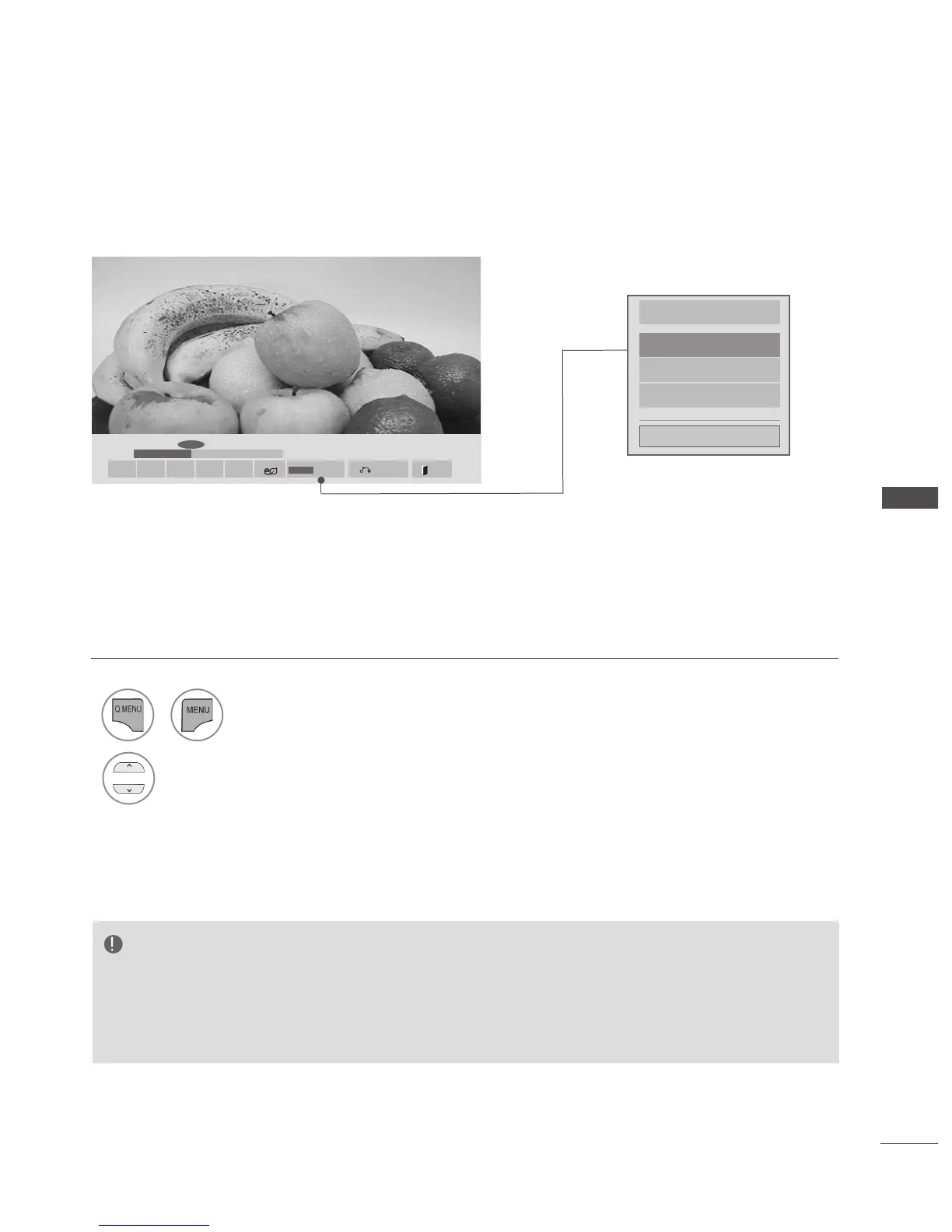
01:02:30 / 02:30:25
◄►
Set Video Play.
Set Video.
Set Audio.
Close
Using the Movie List function, play
NOTE
► Option values changed in Movie List does not affect Photo List and Music List.
► Option value changed in Photo List and Music List are changed likewise in Photo List and Music List
excluding Movie List.
► When replaying the video file after stopping, you can play from where it stopped previously.
1
or
Show the Option menu.
2
Select Set Video Play., Set Video. or Set Audio.
or Set 3D video(Only 42/47/55LX6***,
47/55LX9***).
Option
Hide
Q.MENU
■ ► II ◄◄ ►►
Exit
Choose options.
■ Image shown may differ from your TV.



 To Next Page