49
WATCHING TV / PROGRAMME CONTROL
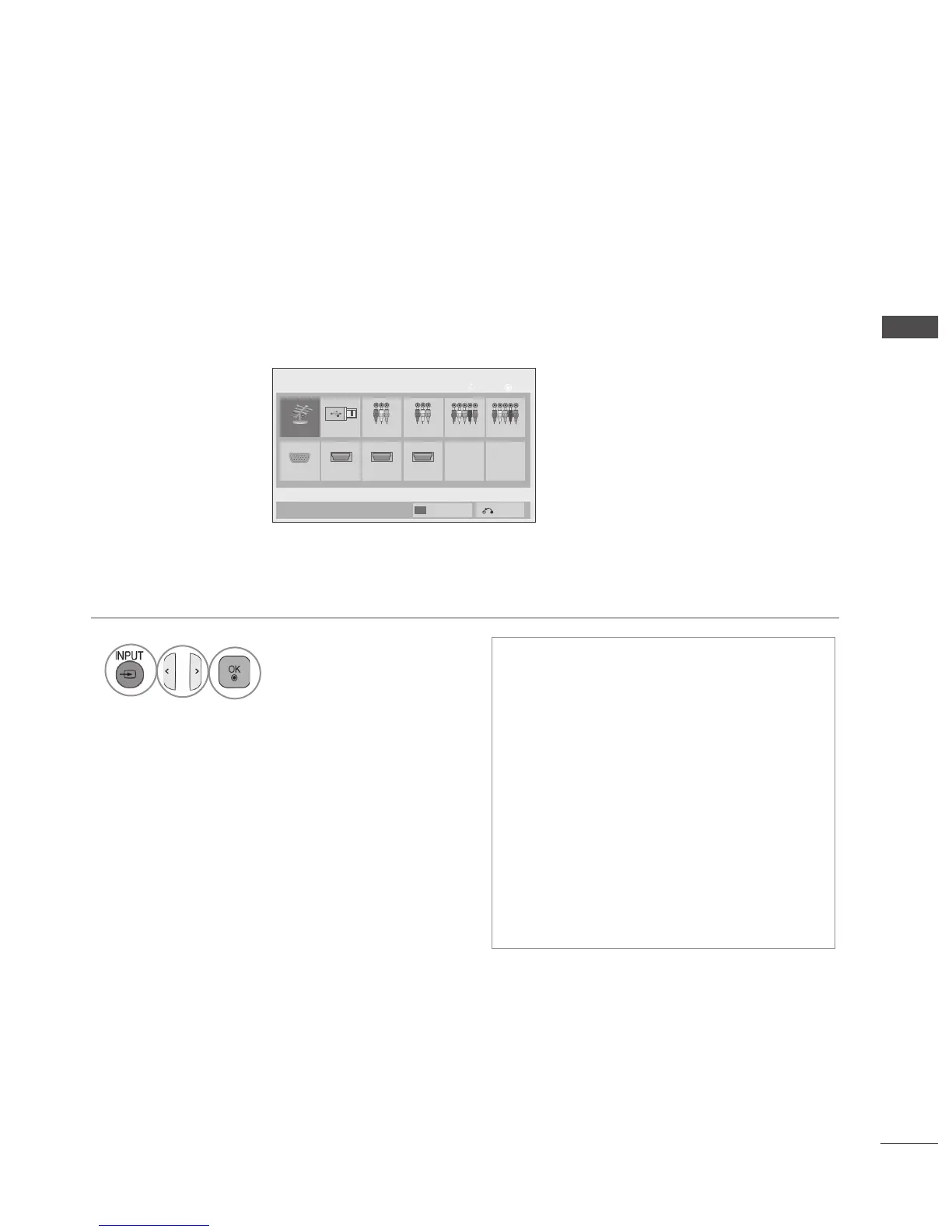
• Antenna : Select it when watching the TV.
(Only DTV : Select it when watching the
DTV/TV/RADIO.)
•
USB : Select it when using USB depends
on connector.
•
AV : Select it when watching the VCR or
external equipment.
• Component : Select it when using the
DVD or the Digital set-top box depends on
connector.
• RGB :Select it when using PC depends on
connector.
• HDMI : Select it when using DVD, PC or
Digital set-top box depend on connector.
INPUT LIST
By using TV/RAD button, you can move from External Input to RF Input and to the last watched pro-
gramme in DTV/RADIO/TV mode.(Only DTV)
1
Select the input source.
Antenna USB1
HDMI2 HDMI3HDMI1
AV2 Component1 Component2
RGB
OK
Move
Input List
Input Label
Exit
AV1
■ Image shown may differ from your TV.



 To Next Page