56
WATCHING TV / PROGRAMME CONTROL
WATCHING TV / PROGRAMME CONTROL
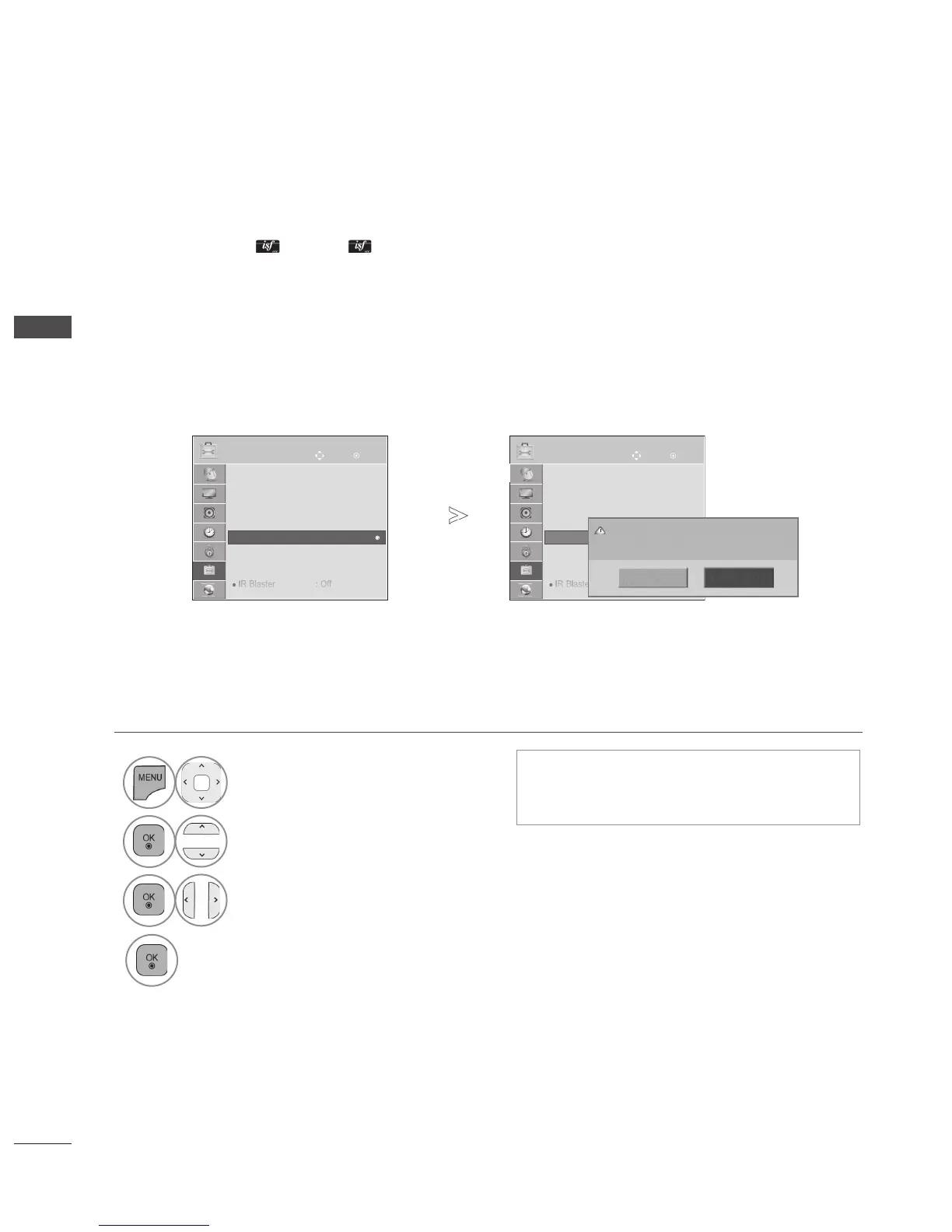
INITIALIZING(RESET TO ORIGINAL FACTORY SETTINGS)
This function initializes all settings.
But the settings of Day and Night of the Picture Mode cannot be initialized.
It is useful to initialize the product or when you move to other city or country.
When the Factory Reset is completed, you must restart the Initializing setup.
When the Lock System menu is "On", the message to enter the password appears.
• Press the MENU/EXIT button to return to normal TV viewing.
• Press the BACK button to move to the previous menu screen.
• In Lock System "On", if you forget your
password, press '0', '3', '2', '5' on the
remote control handset.
1
Select OPTION.
2
Select Factory Reset.
3
Select Yes.
4
Start Factory Reset.
OK
Move
● Language(Language)
● Country : Australia
● Hard of Hearing (ꔞ) : Off
● Power Indicator
● Factory Reset
● Set ID : 1
● Mode Setting : Home Use
● IR Blaster : Off
OPTION
● Factory Reset
Yes
No
All user settings and channel settings will
be reset. Still Continue?
OK
Move
● Language(Language)
● Country : Australia
● Hard of Hearing (ꔞ) : Off
● Power Indicator
● Factory Reset
● Set ID : 1
● Mode Setting : Home Use
● IR Blaster : Off
OPTION
● Factory Reset
►
►



 To Next Page