13
Getting to know your phone
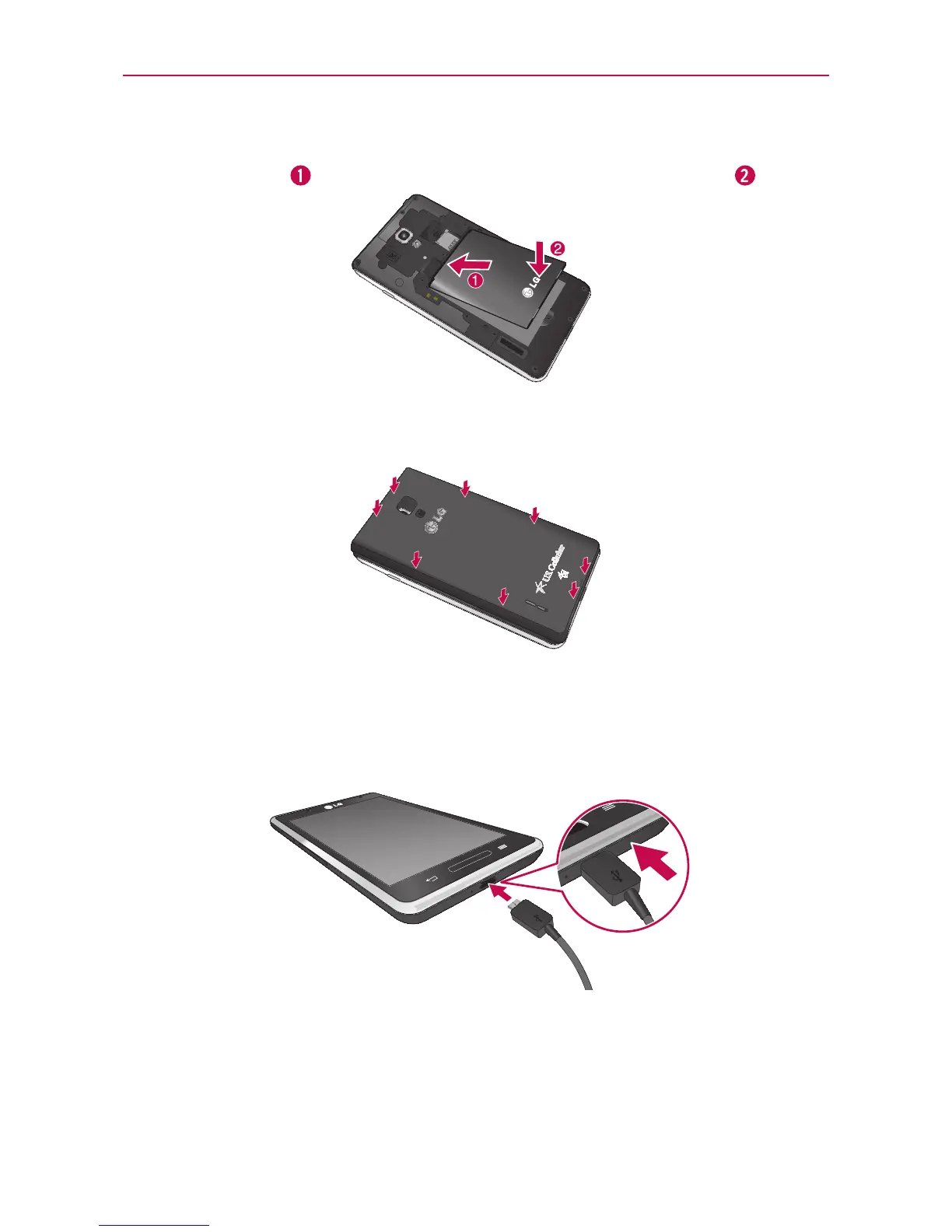
3.Insertthebatteryintoplacebyaligningthegoldcontactsonthebattery
andthephone
andpressingitdownuntilitclicksintoplace .
4.Alignthebackcoveroverthebatterycompartmentandpressitdown
untilitclicksintoplace.
Charging your phone
TheCharger/USBPortisatthebottomofthephone.Insertthechargerand
plugitintoanelectricaloutlet.
NOTE
Thebatterymustbefullychargedinitiallytoimprovebatterylifetime.
NOTE
Donotopenthebackcoverduringthechargingyourphone.



 To Next Page