14
Getting to know your phone
Using the memory card
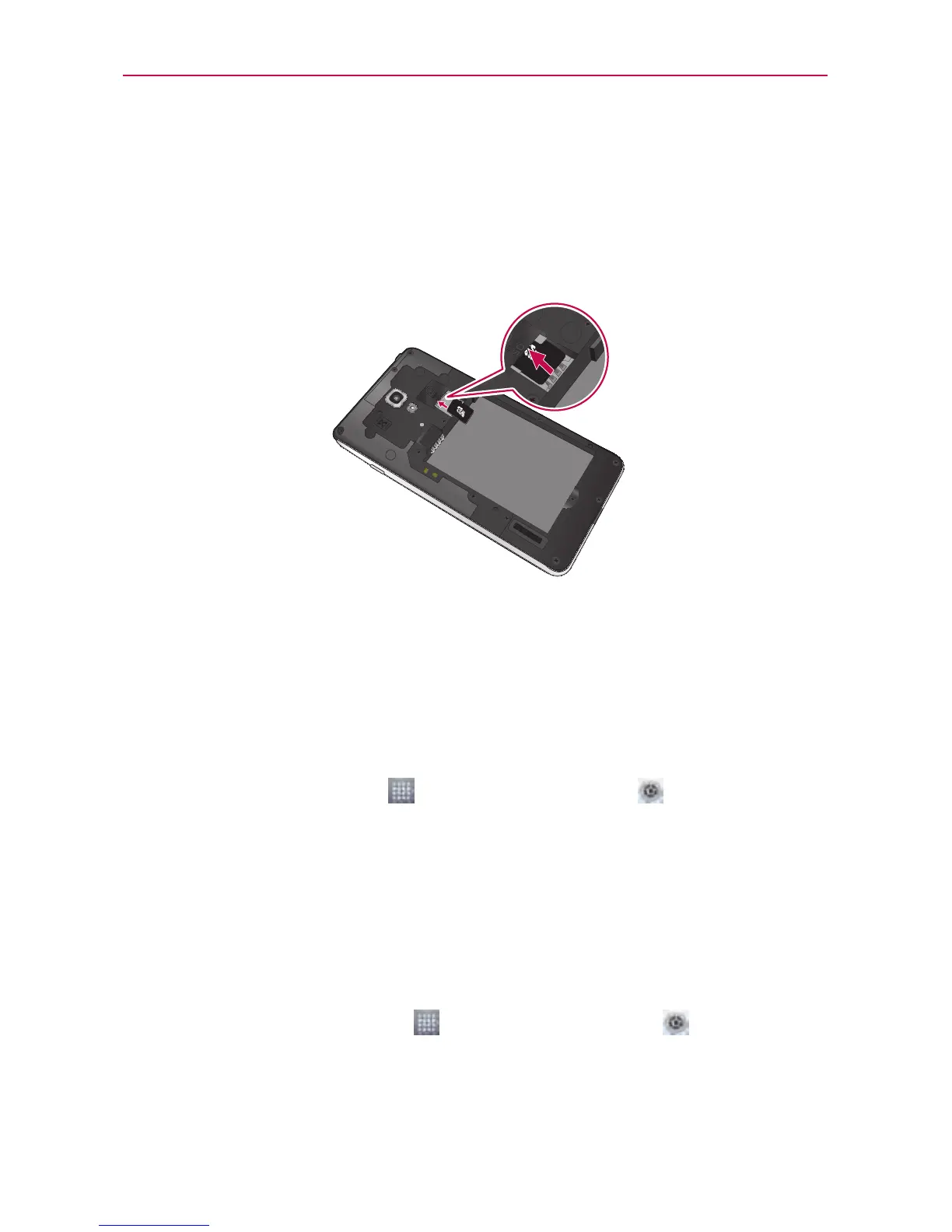
To insert a memory card:
Insertthememorycardintotheslot.Makesurethegoldcontactareais
facingdownwards.
NOTE
TheLGUS780supportsmemorycardsuptoSDHC32GB.
WARNING
Donotinsertorremovethememorycardwhenthephoneison.Doingsomaydamage
thememorycardaswellasyourphone,andthedatastoredonthememorycardmay
getcorrupted.
To remove the memory card safely:
OntheHomescreen,touch >Appstab > Settings >Storage
(DEVICEcategory)>Unmount SD card>OK.
To format the memory card:
Yourmemorycardmayalreadybeformatted.Ifitisn't,youmustformatit
beforeyoucanuseit.
NOTE
Alllesonyourmemorycardaredeletedwhenitisformatted.
1.OntheHomescreen,touch >Appstab>Settings >Storage.
2.TouchUnmount SD cardandtouchOKtoconrmit.
3.TouchErase SD cardandthenErase SD cardonemoretimetoconrm
yourchoice.



 To Next Page